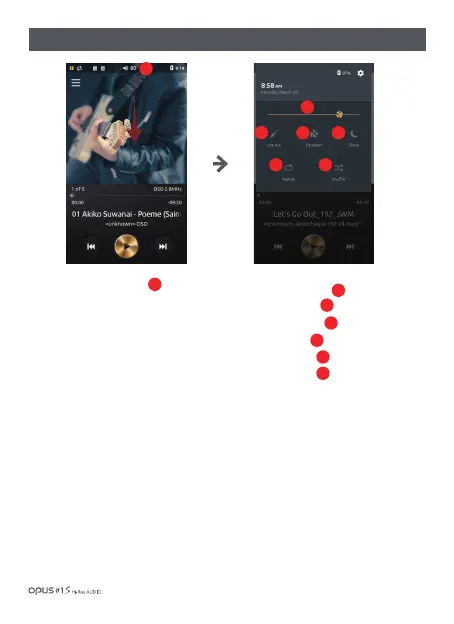
| Quick settings screen
1. Drag down the Status bar to enter
Quick settings screen.
Quick settings mode consists of main
functions to be turned on quickly.
Turning on the main functions from
Quick settings can also be done through
Settings menu.
Every function can be activated or deactivated quickly.
If function is deactivated the icon remains grey and turns yellow when activated.
2. There are
Brightness level bar
Line out On/Off
Equalizer On/Off
Sleep On/Off
Repeat On/Off
Shuffle On/Off
in Quick settings menu.
1
1
2
3
4
6
7
5
2
3 4
6 7
5
Using the device / 23



 To Next Page