Using the device / 37
Attention!
Refer to P10 for more
detailed information about
Firmware update.
※Caution! Read carefully! (Firmware update)
The latest Firmware file must be copied to the top-level folder in internal or
external storage to start a Firmware update.
Latest firmware is available for download at www.audio-opus.com Support>
download.
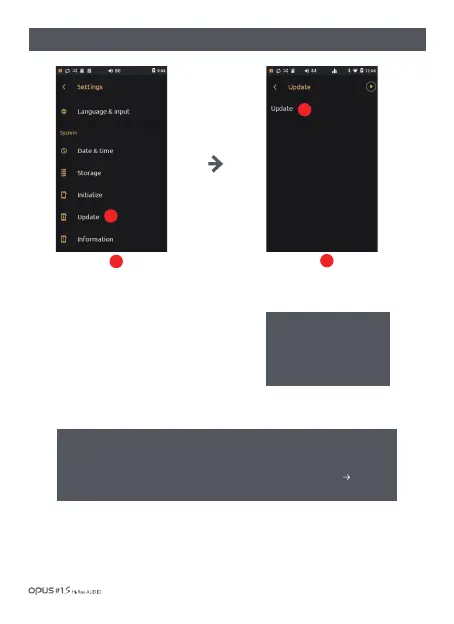
| ‘Update’ settings screen
Press ‘Update’ in System in
settings menu to enter the
update menu for Firmware
upgrade.
1
1
Press ‘Update’ to enter update
menu and to perform update
manually by copying the update
file into internal storage.
2
2



 To Next Page