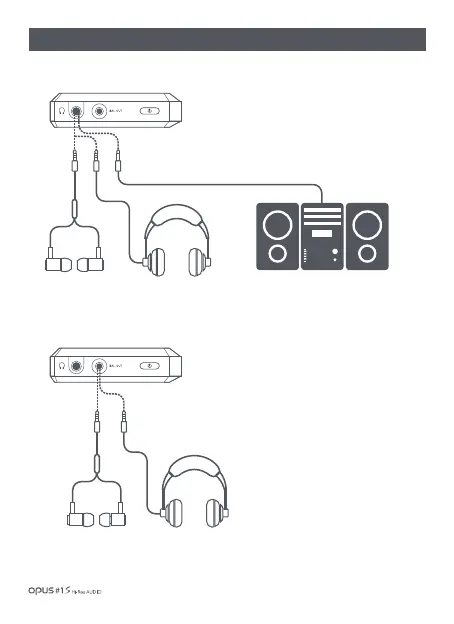
| Earphones / Optical Out / Balanced Out(2)
1. Connect earphones/headphones to the earphones
port (Ø3.5mm) for an audio output.
2. Connect the device to audio device supporting
SPDIF-IN(input) function for an audio output.
1. Connect earphones/headphones support
balanced port to the balanced port (Ø2.5mm)
for an audio output
Earphone/ Optical Out
(Ø 3.5 mm)
Connection to earphones/headphones
Connection to balanced earphones/headphones
Balanced Out
(Ø 2.5 mm)
Getting Started / 09


 To Next Page