7
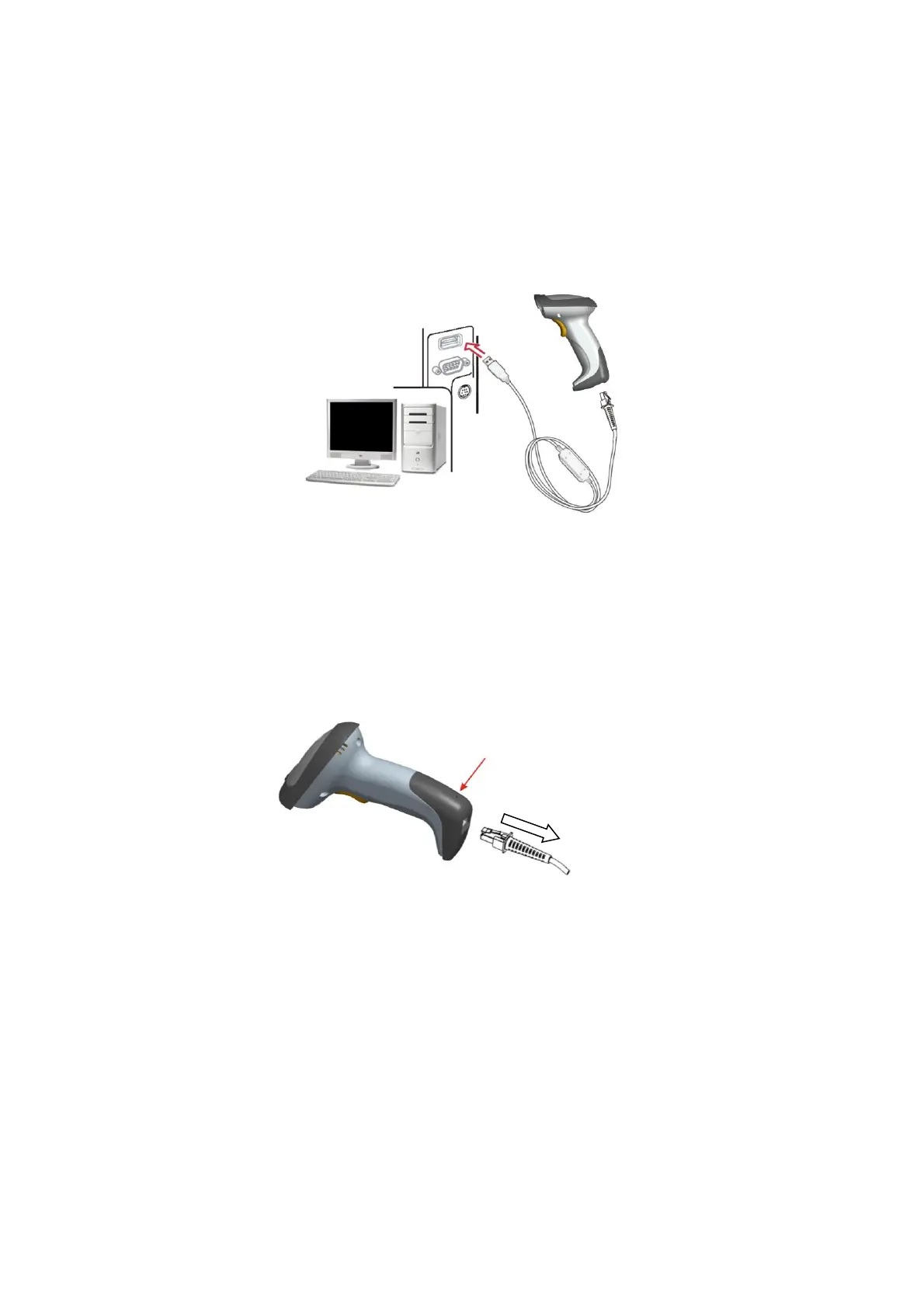
2-4-3 Installation - USB
The scanner attaches directly to a USB host, and is powered by it. No additional power supply is
required.
1. Refer to Figure 7-3, connect the USB interface cable to the bottom of the scanner.
2. Plug the series A connector in the USB host, or an available port of the terminal.
3. Windows will automatically detect the USB device.
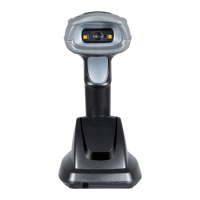
2-4-5 Remove the interface cable
1. Find the release-hole.
2. Insert a thin wire into the hole and pull out the cable gently.


 To Next Page