
 Need help?
Do you have a question about the Thermador T36IT71NNP and is the answer not in the manual?
Safe connection of the appliance to the power supply.
Proper grounding procedures to prevent electrical shock hazards.
Welcome note and basic appliance details.
Overview of refrigerator and freezer compartment parts.
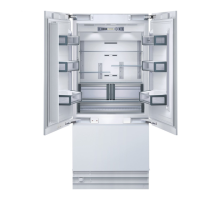
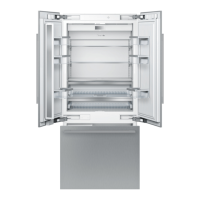
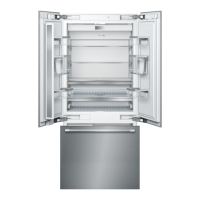
Visual layout of the 2-door model and its components.
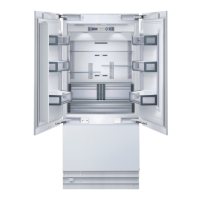
Visual layout of the 3-door model and its components.
Guidelines for installation location, room conditions, and clearances.
Preparation of installation space, base, and electrical hookup.
Connecting the water supply for the ice maker.
Procedure for powering on the appliance and initial cooling.
How to turn off and disconnect the appliance.
Operation of door alarm and French door style features.
Adjusting the motorized shelf and interior layout.
Procedures for removing and reinserting door bins and freezer drawers.
Explanation of each button on the control panel.
Key to understanding symbols displayed on the appliance.
How to set and adjust refrigerator and freezer temperatures.
How to activate and use Super Cool and Super Freeze.
Steps to enter, navigate, and exit the setup mode.
Specifics on using the Super Freezing function.
Changing display units and language settings.
Activating the ECO function for energy efficiency.
Activating special modes for energy saving or religious observance.
Recommended arrangement of food items in the refrigerator.
Best practices for purchasing, freezing, and storing food items.
Safe methods for thawing frozen food items.
Instructions for using, switching, and maintaining the ice maker.
Understanding normal sounds and how to resolve common noises.
Methods to optimize appliance energy consumption.
Procedures for cleaning the appliance interior and exterior.
Steps to prevent and eliminate unpleasant odors.
Interpreting warning messages on the display.
Performing a diagnostic self-test on the appliance.
Restoring the appliance to its default factory configurations.
Information on the water filter and its replacement needs.
Step-by-step instructions for replacing the water filter cartridge.
Solutions for common problems like cooling issues or light failures.
Troubleshooting guide for ice production or cube quality issues.
Instructions for replacing interior halogen light bulbs.
Procedure for replacing the appliance's odor filter element.
How to contact Thermador for technical support.
Details of the appliance's warranty coverage and exclusions.
 General
| Brand | Thermador |
|---|---|
| Model | T36IT71NNP |
| Category | Refrigerator |
| Type | French Door |
| Ice Maker | Yes |
| Door Style | French Door |
| Installation Type | Freestanding |
| Color | Stainless Steel |
| Energy Star Certified | Yes |




 To Next Page