
 Need help?
Do you have a question about the Thermador T36IT905NP and is the answer not in the manual?
Warns about hazards from blocked ventilation openings and flammable substances.
Details dangers of electrical shock from improper installation or damaged cords.
Warns about flammable refrigerant and its risks if tubes are damaged.
Details for proper appliance installation, including location and cut-outs.
Explanation of the appliance's control panel and touch fields.
Guide to accessing and navigating the appliance's main settings menu.
Details the various sub-menus and options within appliance settings.
Procedure for powering on the appliance and initial setup.
How to activate/deactivate the door pillar heater for condensation prevention.
Steps for safely powering down and disconnecting the appliance.
Instructions for adjusting the refrigerator and freezer compartment temperatures.
Explanation of the rapid cooling function for the refrigerator compartment.
Details on the function for quickly freezing food in the freezer compartment.
Procedure for controlling the operation of the ice maker.
Procedure to reset the water filter indicator after replacement.
How to enable or disable the water filter notification system.
Instructions for running the appliance's built-in diagnostic program.
How to adjust the brightness level of the appliance's control panel display.
Procedure to toggle audible feedback for button presses on/off.
How to adjust the volume level for key press sounds.
Procedure to adjust the volume for alarms and other signal tones.
Explanation of features that assist with opening the appliance doors.
Procedure for linking the appliance to the Home Connect mobile application.
Troubleshooting common issues related to the ice maker's functionality.
Troubleshooting guide for identifying and resolving water leakage issues.
 General
| Type | built in |
|---|---|
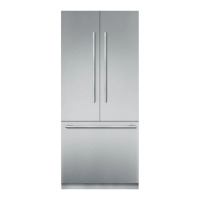
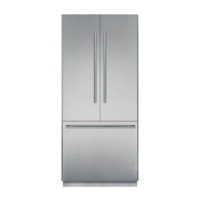
| Style | 3 door; french door |
| Color | panel ready |
| Total Capacity | 19.4 cu. ft. |
| Refrigerator Capacity | 13.9 cu. ft. |
| Freezer Capacity | 5.5 cu. ft.; yes |
| Humidity Controlled Crispers | 1 |
| Defrost System | frost-free |
| Quick Freeze | yes |
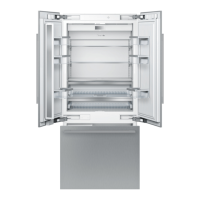
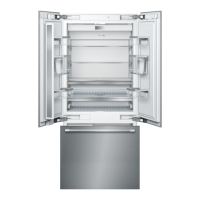
| Number of Refrigerator Shelves | 3 |
| Number of Refrigerator Door Bins | 6 |
| Number of Refrigerator Adjustable Shelves | 2 |
| Number of Freezer Drawers | 2 |
| Number of Freezer Baskets | 2 |
| Temperature Control | yes |
| Interior Light | led sidewall and theater lighting |
| Dispenser | no |
| Ice Maker | yes |
| Water Filter | yes |
| Smart Home | home connect |
| Wi-Fi | yes |
| Voltage | 120 volts |
| Frequency | 60 hz |
| Current | 15 |
 Weight and Dimensions
| Depth | 24 inch |
|---|---|
| Height | 83 3/4 inch |
| Width | 35 3/4 inch |



 To Next Page