
 Need help?
Do you have a question about the Thermador T48BT110NS and is the answer not in the manual?
Explains safety signal words used in the manual.
General advice on reading the manual and handling the appliance.
Specifies the appliance's intended purpose and usage conditions.
Outlines limitations on who can use the appliance and child safety.
Provides warnings and instructions for safely transporting the appliance.
Details dangerous aspects of incorrect installation and safe connection procedures.
Covers safe operation, avoiding moisture, heat, and proper cleaning.
Instructions for dealing with a damaged appliance or power cord.
Specific warning regarding California Proposition 65.
Instructions for environmentally friendly disposal of packaging materials.
Tips for reducing energy consumption through proper installation and use.
Lists the components included with the appliance delivery.
Specifies requirements for a safe and functional installation location.
Directs users to follow enclosed installation instructions.
Steps to prepare the appliance before its initial operation.
Details the process and requirements for connecting to a water supply.
Instructions for safely connecting the appliance to the power outlet.
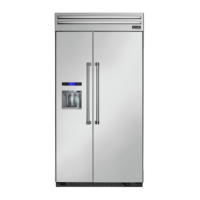
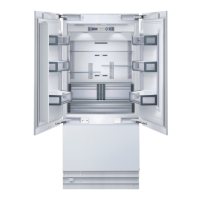
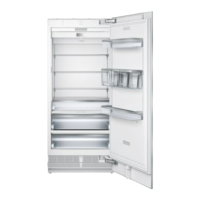
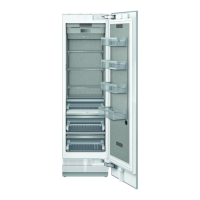
Provides an illustrated overview of the appliance's components.
Explains the functions and operation of the main control panel.
Details the control panel for the variable-temperature compartment.
Instructions for adjusting and removing shelves within the appliance.
Guidance on storing packaged food or small snacks.
Advice on using the cool-fresh container for optimal food preservation.
Information on using variable-temperature containers for food storage.
How to use the container divider for storage space.
How to use the pull-out container for frozen food.
Guidance on storing large frozen items.
Instructions for adjusting and removing door racks.
Information about the ice storage container and potential blockages.
Details on the appliance cameras and how to use them with Home Connect.
Information on the odor filter and its replacement.
Notes on using only original accessories for the appliance.
Step-by-step guide for the initial setup and configuration of the appliance.
Instructions for turning the appliance on.
Advice for optimal appliance operation and performance.
How to properly switch off the appliance.
Guide to adjusting temperatures for refrigerator and freezer compartments.
How to set the storage parameters for the cool-fresh compartment.
Information on enabling and disabling the control panel button lock.
How to set storage parameters for the variable-temperature compartment.
Instructions on how to access and modify the appliance's basic settings.
A detailed list and explanation of available basic settings.
How to activate Super cooling for rapid chilling of the refrigerator compartment.
Explanation of automatic Super freezing for faster food freezing.
Instructions for manually activating Super freezing in the freezer compartment.
How to use Shopping mode for simultaneous Super cooling and freezing.
How to activate Vacation mode for energy saving during absence.
How to enable energy-saving mode for reduced power consumption.
How to control the interior lighting and its brightness.
Information on Sabbath mode and functions it disables.
How the door alarm functions and how to switch it off.
Explanation of the temperature alarm and when it activates.
Steps to install and set up the Home Connect® mobile application.
Guide to connecting the appliance to the Home Connect® app and Wi-Fi.
Information on how Customer Service can use remote diagnostics.
Details on data protection and transmission for Home Connect® services.
How to access and modify various service settings.
A comprehensive list of available service settings and their functions.
Best practices for storing food to maintain freshness and quality.
Explanation of the different temperature zones within the refrigerator.
Guidance on optimal storage settings and food types for the cool-fresh compartment.
Advice on proper storage techniques for frozen food.
Recommendations for successfully freezing fresh food items.
Safe and effective methods for defrosting frozen food.
Recommended storage settings for various food types in this compartment.
Information on the water filter, its function, and replacement schedule.
Instructions for operating the water dispenser, including setup and keylock.
Details on using the ice maker, including types of ice and operation.
Information about automatic defrosting in the refrigerator compartment.
Information about automatic defrosting in the cool-fresh compartment.
Information on NoFrost system and lack of manual defrosting needed.
Information about automatic defrosting in the variable-temperature compartment.
Guidelines for cleaning and maintaining stainless steel surfaces.
Steps to take before starting the cleaning process.
Detailed instructions for cleaning the appliance, fittings, and door seals.
How to clean the camera lenses to ensure clear photos.
Instructions for removing shelves and other fittings for cleaning.
Steps for replacing the odor filter in the refrigerator compartment.
Troubleshooting steps for when the appliance is not cooling but displays are lit.
Steps to diagnose and fix issues with the LED lighting.
Troubleshooting steps for problems with the Home Connect® feature.
Steps to resolve issues where the appliance cameras are not taking photos.
Troubleshooting for blurred photos taken by the appliance cameras.
Steps to fix missing, misaligned, or incorrectly cropped photos from cameras.
What to do when error codes "D" or "E" are displayed.
Troubleshooting steps for significant temperature discrepancies.
How to identify and fix water leaks from the appliance.
Steps to take when the water dispenser output is low.
Troubleshooting for water dripping from the dispenser.
Steps to resolve issues with the water dispenser not working.
How to address low ice cube production from the ice maker.
Further troubleshooting for low ice cube production.
Steps to take if the ice maker is not functioning at all.
Explains normal operational noises of the appliance.
Explains the clicking sound from cameras during calibration.
General troubleshooting for appliance noises like wobbling or touching parts.
Steps for safely taking the appliance out of service.
Guidelines for environmentally responsible disposal of the old appliance.
Where to find appliance identification numbers needed for customer service.
Information on software components and licensing.
 General
| Brand | Thermador |
|---|---|
| Model | T48BT110NS |
| Category | Refrigerator |
| Door Style | French Door |
| Ice Maker | Yes |
| Water Dispenser | Yes |
| Energy Star | Yes |
| WiFi | Yes |
| Lighting | LED |
| Finish | Stainless Steel |
| Height | 84 in. |



 To Next Page
