EasyManua.ls Logo

Thermaltake TR2 RX - Troubleshooting; No DC Output; Fan Stops and System Hangs

Thermaltake TR2 RX
15 pages
Print Icon
To Previous Page IconTo Previous Page
Loading...
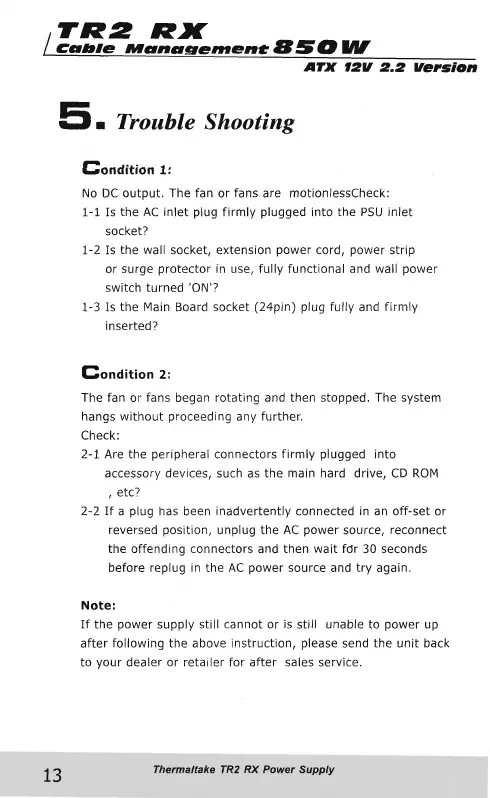
TR2
RX
|
Cable
Management
B
5
O
UV
ATX
12V
2.2
Version
5.
Trouble
Shooting
13
Condition
1:
No
DC
output.
The
fan
or
fans
are
motionlessCheck:
1-1
Is
the
AC
inlet
plug
firmly
plugged
into
the
PSU
inlet
socket?
1-2
Is
the
wall
socket,
extension
power
cord,
power
strip
or
surge
protector
in
use,
fully
functional
and
wall
power
switch
turned
'ON'?
1-3
Is
the
Main
Board
socket
(24pin)
plug
fully
and
firmly
inserted?
Condition
2:
The
fan
or
fans
began
rotating
and
then
stopped.
The
system
hangs
without
proceeding
any
further.
Check:
2-1
Are
the
peripheral
connectors
firmly
plugged
into
accessory
devices,
such
as
the
main
hard
drive,
CD
ROM
,
etc?
2-2
If
a
plug
has
been
inadvertently
connected
in
an
off-set
or
reversed
position,
unplug
the
AC
power
source,
reconnect
the
offending
connectors
and
then
wait
fdr
30
seconds
before
replug
in
the
AC
power
source
and
try
again.
Note:
If
the
power
supply
still
cannot
or
is
still
unable
to
power
up
after
following
the
above
instruction,
please
send
the
unit
back
to
your
dealer
or
retailer
for
after
sales
service.
Thermaltake
TR2
RX
Power
Supply

Other manuals for Thermaltake TR2 RX

Related product manuals