EasyManua.ls Logo

Thermaltake TR2 RX - Installation; Warnings and Cautions

Thermaltake TR2 RX
15 pages
Print Icon
To Next Page IconTo Next Page
To Previous Page IconTo Previous Page
Loading...
/
Mie
=
B50
UV
ATX
12V
2.2
Version
=
=
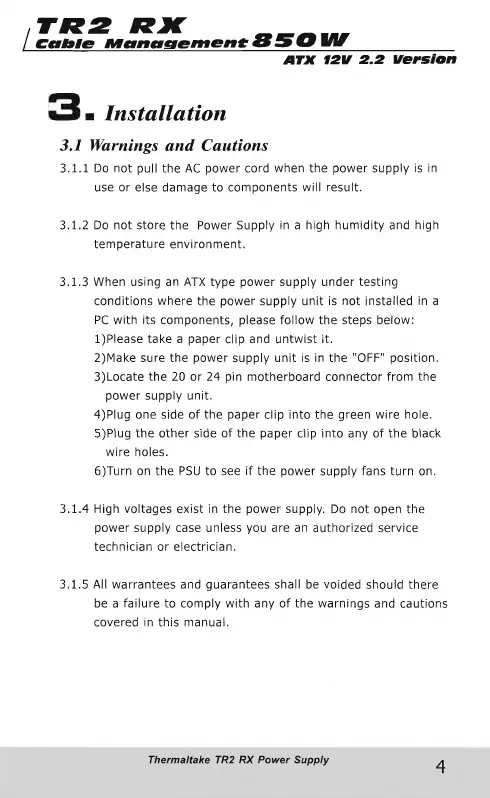
Installation
3.1
Warnings
and
Cautions
3.1.1
Do
not
pull
the
AC
power
cord
when
the
power
supply
is
in
use
or
else
damage
to
components
will
result.
3.1.2
Do
not
store
the
Power
Supply
in
a
high
humidity
and
high
temperature
environment.
3.1.3
When
using
an
ATX
type
power
supply
under
testing
conditions
where
the
power
supply
unit
is
not
installed
in
a
PC
with
its
components,
please
follow
the
steps
below:
1)Please
take
a
paper
clip
and
untwist
it.
2)Make
sure
the
power
supply
unit
is
in
the
"OFF"
position.
3)Locate
the
20
or
24
pin
motherboard
connector
from
the
power
supply
unit.
4)Plug
one
side
of
the
paper
clip
into
the
green
wire
hole.
5)Piug
the
other
side
of
the
paper
clip
into
any
of
the
black
wire
holes.
6)Turn
on
the
PSU
to
see
if
the
power
supply
fans
turn
on.
3.1.4
High
voltages
exist
in
the
power
supply.
Do
not
open
the
power
supply
case
unless
you
are
an
authorized
service
technician
or
electrician.
3.1.5
All
warrantees
and
guarantees
shall
be
voided should
there
be
a
failure
to
comply
with
any
of
the
warnings
and
cautions
covered
in
this
manual.
Thermaltake
TR2
RX
Power
Supply
4

Other manuals for Thermaltake TR2 RX

Related product manuals