EasyManua.ls Logo

Thermaltake Versa H25 - User Manual

Thermaltake Versa H25
12 pages
Print Icon
To Next Page IconTo Next Page
Loading...
© 2014 Thermaltake Technology Co., Ltd. All Rights Reserved. A-2014.07
All other registered trademarks belong to their respective companies.
www.thermaltake.com
Tested To Comply
With FCC Standards
FOR HOME OR OFFICE USE
User's Manual
Benutzerhandbuch
Mode demploi
Manual del usuario
Manuale dellutente
Manual do Utilizador
マニ
Руководство пользователя
kullanıcı elkitabı
(EEE Yönetmeliğine Uygundur)
อก
25
1 4 /0 6 /1 6 A
稿
X X X X X
MARKETING CHECK
PRODUCT GM
2
(g/m )
)
125 mm
V e r s a H 2 5
C A - 1 C 2 - 0 0 M 1 N N - 0 1
2 4 8 0
2
(g/m )
DESIGN
Poki
176 mm
Mike.Lin
Question and Answer IconNeed help?

Do you have a question about the Thermaltake Versa H25 and is the answer not in the manual?

Summary

Warning and Notice

Side Panel Disassembly

PSU Installation

Motherboard Installation

5.25 Device Installation

3.5 HDD Installation

PCI Slot Usage

2.5 HDD Installation

120 mm Radiator Installation

Leads Installation

Case LED Connection

Connects case LEDs and switch leads to the motherboard panel header.

USB 2.0 Connection

Guide for connecting USB 2.0 devices to the motherboard.

USB 3.0 Connection

Steps to connect USB 3.0 devices to the motherboard.

Audio Connection

Instructions for connecting audio devices to the motherboard.

AUDIO HD AUDIO Function

USB Function

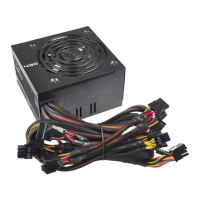
Thermaltake Power Supply Series (Optional)

Thermaltake Versa H25 Specifications

General IconGeneral
Case TypeMid Tower
MaterialSteel, Plastic
Motherboard CompatibilityATX, Micro-ATX, Mini-ITX
Expansion Slots7
CPU Cooler Height Limit155 mm
Drive Bays2 x 3.5", 2 x 2.5"
Radiator Support120mm rear
Front I/O Ports2 x USB 3.0, 1 x HD Audio

Related product manuals