
 Need help?
Do you have a question about the Thermaltake V250 TG ARGB and is the answer not in the manual?
Connect RGB lighting to motherboard headers.
Connect case LEDs and switch leads to motherboard.
Connect USB 2.0 devices to motherboard.
Connect USB 3.0 devices to motherboard.
Connect audio jacks to motherboard.
Explanation of SPM cloud-based software for PC monitoring.
Software to synchronize addressable RGB products.
Voice control for TT RGB PLUS products.
 General
| Type | PC |
|---|---|
| Material | SPCC |
| Form factor | Midi Tower |
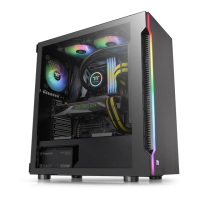
| Side window | Yes |
| Suitable for | Gaming |
| Product color | Black |
| Maximum PSU length | 200 mm |
| Number of 3.5\" bays | 2 |
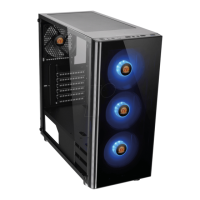
| Illumination location | Case fans |
| Number of 5.25\" bays | 0 |
| Maximum CPU cooler height | 160 mm |
| Number of expansion slots | 7 |
| Maximum graphics card length | 320 mm |
| Supported motherboard form factors | ATX, Micro ATX, Mini-ITX |
| Power supply included | No |
| USB 2.0 ports quantity | USB 2.0 ports have a data transmission speed of 480 Mbps, and are backwards compatible with USB 1.1 ports. You can connect all kinds of peripheral devices to them. |
| USB 3.2 Gen 1 (3.1 Gen 1) Type-A ports quantity | 1 |
| Top fans installed | 2x 120 mm |
| Rear fans installed | 1x 120 mm |
| Front fans installed | 3x 120 mm |
| Top radiator sizes supported | 120, 240 mm |
| Rear radiator sizes supported | 120 mm |
| Front fans diameters supported | 120, 140 mm |
| Front radiator sizes supported | 120, 240, 360 mm |
| Number of front fans supported (max) | 3 |
| Supported HDD sizes | 2.5, 3.5 \ |
 Weight and Dimensions
| Depth | 216 mm |
|---|---|
| Width | 477 mm |
| Height | 430 mm |
| Weight | 6670 g |



 To Next Page