
 Need help?
Do you have a question about the Thermaltake H200 TG and is the answer not in the manual?
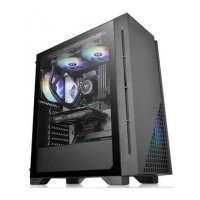
Details the technical specifications of the H200 TG RGB computer case.
Lists the parts and quantities included with the computer case for assembly.
Provides essential warnings and notices regarding component size limitations.
Instructions on how to remove the side panel of the computer case.
Guide on correctly installing the Power Supply Unit (PSU).
Steps for installing the motherboard into the chassis.
Instructions for installing 3.5" and 2.5" Hard Disk Drives and SSDs.
Guidance on installing PCI expansion cards, like graphics cards.
Explains how to control RGB lighting modes using the case buttons.
Details on installing fans for optimal air cooling.
Instructions for installing liquid cooling radiators.
General overview for connecting case leads to the motherboard.
Guide for connecting case LEDs and switch leads to the motherboard.
Steps to connect the USB 3.0 cable to the motherboard.
Instructions for connecting audio jacks to the motherboard.
Information on optional Thermaltake power supply units.
Overview of Thermaltake's RGB Plus software and ecosystem.
 General
| Model | H200 TG |
|---|---|
| Case Type | Mid Tower |
| Maximum GPU Length | 320 mm |
| Color | Black |
| Side Panel | Tempered Glass |
| Motherboard Support | Mini-ITX, Micro-ATX |
| Drive Bays | 2 x 2.5", 2 x 3.5" |
| Front Ports | USB 3.0 |
| Cooling System | 1 x 120mm rear fan |
| Fan Support | Front: 2 x 120mm, 2 x 140mm; Rear: 1 x 120mm |
| Radiator Support | Front: 240mm, Rear: 120mm |



 To Next Page