EasyManua.ls Logo

Thermaltake S300 TG - User Manual

Thermaltake S300 TG
14 pages
Print Icon
To Next Page IconTo Next Page
Loading...
© 2019 Thermaltake Technology Co., Ltd. All Rights Reserved. 2019.11
All other registered trademarks belong to their respective companies.
www.thermaltake.com
Tested To Comply
With FCC Standards
FOR HOME OR OFFICE USE
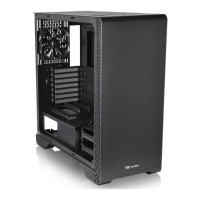
Picture is for reference only
User's Manual
Benutzerhandbuch
Mode demploi
Manual del usuario
Manuale dellutente
Manual do Utilizador
ーザ
Руководство пользователя
kullanıcı elkitabı
(EEE Yönetmeliğine Uygundur)
อก
S300 TG
Question and Answer IconNeed help?

Do you have a question about the Thermaltake S300 TG and is the answer not in the manual?

Summary

Specification

Accessory

Warning and Notice

Side Panels Disassembly

Power Supply Unit (PSU) Installation

Motherboard Installation

3.5 & 2.5 HDD Installation

PCI Card Installation

Type A Traditional GPU installation

Instructions for installing a traditional GPU in the PCI slot.

Type B (Optional) Vertical GPU installation

Instructions for installing a GPU vertically using an optional bracket.

Air Cooling Installation

Liquid Cooling Installation

Pump Installation

Leads Installation

Case LED Connection

Connect front panel LEDs and switches to the motherboard header.

USB 3.0 Connection

Connect the USB 3.0 cable to the motherboard's USB 3.0 port.

Audio Connection

Connect the front panel audio connector to the motherboard.

Thermaltake Power Supply Series (Optional)

Tt RGB Plus Ecosystem

Thermaltake S300 TG Specifications

General IconGeneral
BrandThermaltake
ModelS300 TG
CategoryEnclosure
LanguageEnglish

Related product manuals