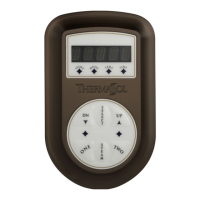
To Next PageTo Next Page
 Need help?
Do you have a question about the Thermasol Signature Series and is the answer not in the manual?
 General
| Brand | Thermasol |
|---|---|
| Model | Signature Series |
| Category | Control Unit |
| Language | English |
Specifies the recommended height and placement of the control unit within the shower.
Critical precautions for using the steam shower, including health, safety, and usage restrictions.
Details for installing the control unit on a standard shower wall surface.
Instructions for installing the control unit using a recessed mud-ring in the shower wall.
Steps for installing the control unit on a surface-mounted wall.
Steps for installing the control unit in a recessed wall cavity.
Steps for installing the mud ring for recessed controls before tiling and sealing.
Instructions for sealing surface mount controls to the wall with silicone.
Instructions for powering the steam unit on and off using the control interface.
Guide for adjusting the steam session temperature and duration using the control buttons.
Using saved user preferences and quick volume control functions.