6 | P a g e
Part Number - 00824 Revision K, DCO 2017-0074
© 2017 Thermedx
®
, LLC
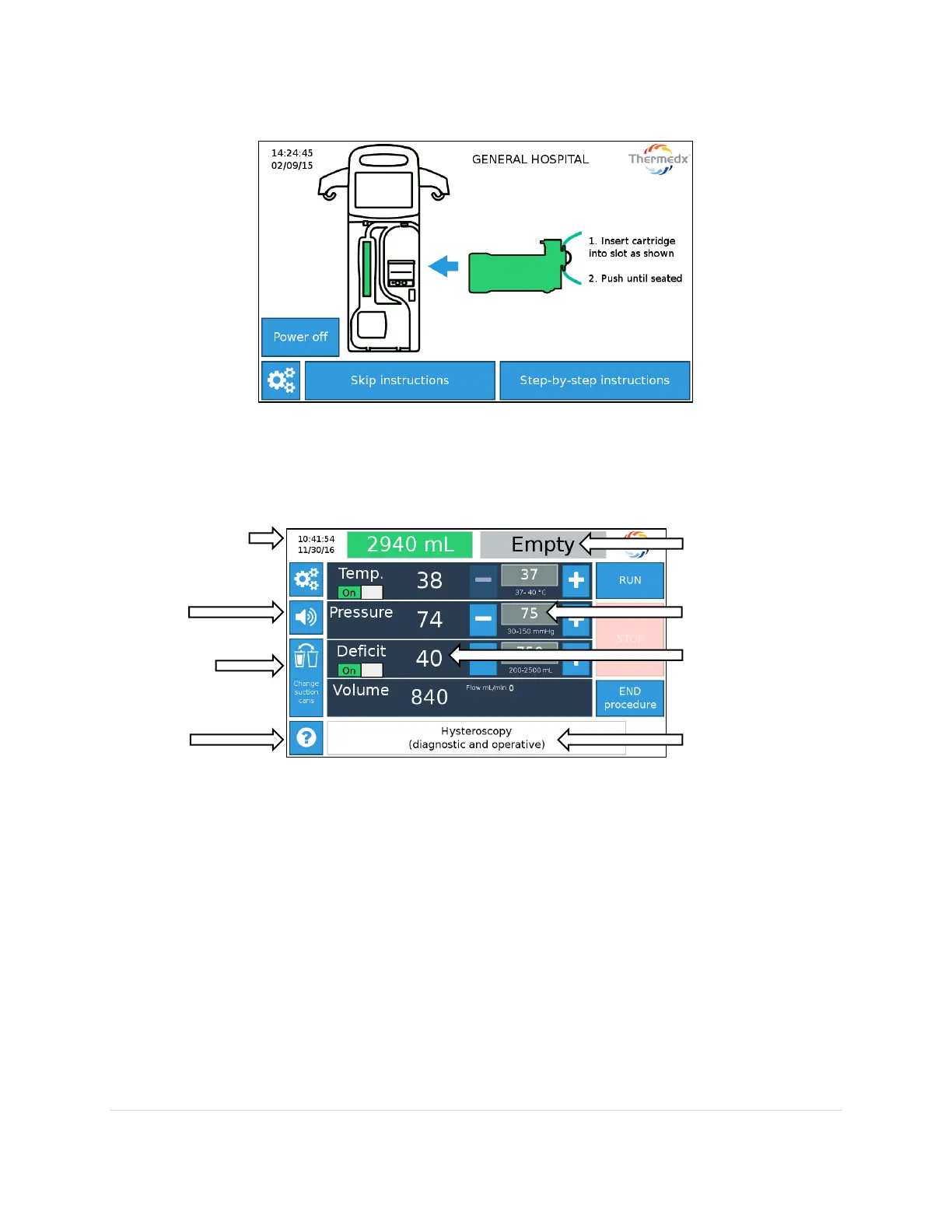
The touch-screen menu (example shown below) provides users with step by step instructions on
setup (see Section 7 for more details).
The Run screen provides real time values for Temperature (Temp.), Pressure, Deficit (if enabled),
Volume and Flow. Set-point values can be changed simply by pressing the adjustment buttons.
Note - Displayed values represent readings at the device. They may not represent in-cavity
conditions.



 To Next Page