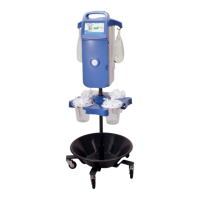
Need help?
Do you have a question about the Thermedx P2000 and is the answer not in the manual?
Covers general safety precautions, warnings, and electrical safety for the device.
Recommendations to reduce the potential risk of an air embolism during operation.
Step-by-step guide for inserting the cartridge, opening the pump, and preparing fluid bags.
Connecting canisters, selecting discipline, and choosing the tube set/procedure.
Instructions for starting fluid flow, adjusting settings, and stopping the pump during operation.
Explains various alarm messages for temperature, pressure, flow, and deficit, with bypass options.
Lists common error messages and their corresponding troubleshooting steps or required actions.
Solutions for issues with the device not turning on and alarms during startup.
Addresses problems with low or no fluid flow and poor visualization during procedures.
Specific solutions for issues related to hysteroscopic tissue removal system operation.
Guidance for a burning smell from the device or unusual noises during operation.
Solutions for temperature issues, erratic pressure readings, and incorrect deficit measurements.
 General
| Model | P2000 |
|---|---|
| Manufacturer | Thermedx |
| Power Requirements | 100-240 VAC, 50/60 Hz |
| Display | Digital display with temperature and alarm indicators |
| Type | Patient Warming System |


 To Next Page