19 | P a g e
Part Number - 00824 Revision K, DCO 2017-0074
© 2017 Thermedx
®
, LLC
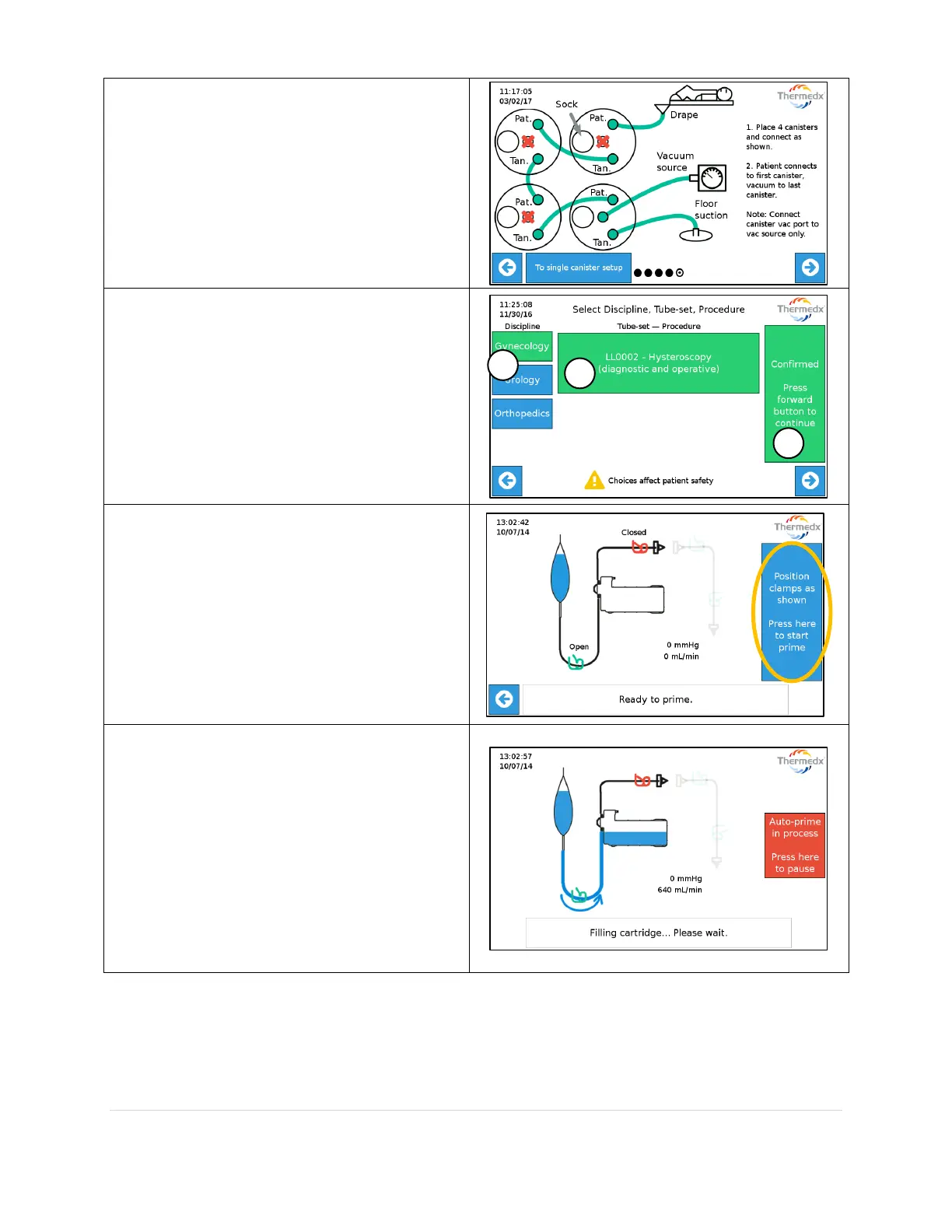
Place 4 canisters (if monitoring deficit) and
connect as shown. (if necessary, toggle from
multiple canister to single canister setup
using selection button at bottom of screen)
When complete press Right Arrow to
proceed to Procedure Selection.
Select:
1. Discipline
2. Tube-set/Procedure
3. Confirm selection
Once Choices are confirmed press the Right
Arrow.
Follow on-screen instructions and select
Press here to start prime.
Do not remove cartridge from unit during
operation. If removed and re-installed, unit
may fail to read actual fluid pressure
accurately.



 To Next Page