EasyManua.ls Logo

Thermo Scientific Invitrogen Countess II FL - User Manual

Thermo Scientific Invitrogen Countess II FL
82 pages
Print Icon
To Next Page IconTo Next Page
Loading...
For Research Use Only. Not for use in diagnostic procedures.
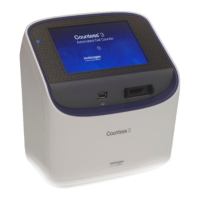
Countess
II FL automated cell counter
USER GUIDE
For fluorescence and brightfield applications
Catalog Number AMQAF1000
Document Part Number MP10826
Publication Number MAN0010644
Revision E.0

Table of Contents

Questions and Answers

  • N
    Nicholas MurphyAug 11, 2025
    What to do if the Thermo Scientific Invitrogen Countess II FL USB drive is not recognized?
    • J
      jessica47Aug 11, 2025
      If the Thermo Scientific Cash Counter does not recognize the USB drive, ensure that the USB drive is formatted to FAT32. If it is not, reformat the USB drive to FAT32. If the problem persists, try using another correctly formatted USB drive.
  • M
    Marcus JimenezAug 21, 2025
    How to fix abnormally high dead cell count on Thermo Scientific Invitrogen Countess II FL?
    • D
      Douglas MorganAug 21, 2025
      If you observe an abnormally high percentage of dead cells or live cells counted as dead on the Thermo Scientific Cash Counter, consider the following: * Ensure the cells are correctly focused, with live cells having bright centers and dead cells appearing dark throughout. * If cells are well-focused but still counted as dead, verify they are within the appropriate size range and try adjusting the settings. * Prepare and count slides fresh each time to avoid viability issues from prolonged exposure to trypan blue. * Use the size, brightness, and circularity sliders to gate out debris.
  • N
    Nathaniel MyersAug 30, 2025
    Why is the Thermo Scientific Invitrogen Countess II FL Cash Counter unable to update software?
    • Y
      Yvonne BrownAug 30, 2025
      If you're unable to update the software on your Thermo Scientific Cash Counter, check the following: 1. Ensure the USB drive is formatted to FAT32; reformat if necessary. 2. The update file must be located at the top level of the USB drive, not within any folders. 3. The file must not be renamed. 4. The file must not be zipped or compressed and must have a '.lft' suffix. 5. Verify the USB port is functional by testing with a USB mouse.

Thermo Scientific Invitrogen Countess II FL Specifications

General IconGeneral
BrandThermo Scientific
ModelInvitrogen Countess II FL
CategoryCash Counter
LanguageEnglish

Related product manuals