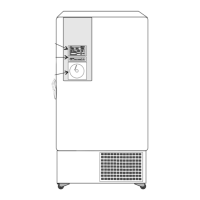
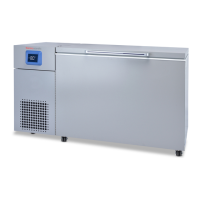
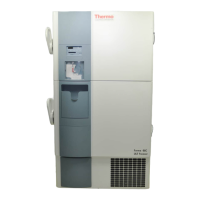
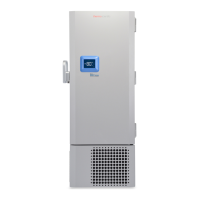
This manual describes the Thermo Scientific Revco® Ultima II Cryogenic Storage Freezers, which are designed for optimal performance at extremely low cryogenic temperatures, specifically -140°C or -150°C. These freezers are intended for the safe storage of materials at these operating temperatures.
Function Description
The Revco Ultima II Cryogenic Storage Freezers are designed to maintain stable cryogenic temperatures for the long-term preservation of samples. They utilize a robust refrigeration system to achieve and sustain these ultra-low temperatures. The freezers are equipped with a control panel that allows users to monitor and adjust key operational parameters, ensuring precise temperature control and sample safety.
The core function revolves around a sophisticated temperature management system. Users can set a specific cabinet temperature, and the freezer will work to maintain this setpoint. The control panel features a digital temperature display window that shows the current cabinet temperature, as well as alarm values and other operational data.
An optional built-in backup system, which can utilize CO2 or LN2, provides an additional layer of security. This system is designed to activate automatically if the primary refrigeration system experiences a failure or if the cabinet temperature deviates beyond acceptable limits. The backup system helps to maintain the cryogenic environment, protecting valuable samples during unforeseen events.
Usage Features
The freezer's operation is managed through a user-friendly control panel. To initiate operation, the key switch is turned to the "POWER ON" position, which illuminates the Power On and Cabinet Temperature LEDs. The alarm function is initially inactive during startup, allowing for initial temperature stabilization.
Setting the cabinet temperature is straightforward: users press and hold the "Control Setpoint" pad, then use increment or decrement pads to adjust the temperature to the desired value. Once set, the display reverts to showing the cabinet temperature.
Alarm settings are crucial for sample protection. The "Cold Alarm Setpoint" and "Warm Alarm Setpoint" pads allow users to define the acceptable temperature range. If the cabinet temperature deviates above or below these setpoints, a "Temperature Failure Indicator" lights up, and an audible alarm sounds. The "Alarm On/Set Point Security Indicator" lights up when the alarm is activated and when Setpoint Security is engaged, preventing unauthorized changes to critical settings.
The alarm system incorporates a reset feature, requiring user acknowledgment of certain alarm conditions such as temperature failure (warm or cold), voltage low, power failure, life-guard alert, and extreme ambient alert. When an alarm condition occurs, the corresponding indicator flashes rapidly. If the condition resolves, the flash rate decreases, and the indicator remains flashing until the "Alarm Reset" button is pressed, confirming that the user is aware of the past event. For temperature failures, the highest and lowest temperatures reached during the error condition are saved and can be viewed.
An "Alarm Test" pad allows users to simulate rising temperature to test the functionality of both cold and warm alarms without actually changing the refrigerated space temperature.
The freezer also includes indicators for "Power Failure," "Life-Guard Alert" (indicating a cautionary state of the first stage compressor), and "Check Fuse Light" (for a blown surge protector). An "Extreme Ambient Alert" lights up if the ambient temperature exceeds the recommended operating range, signaling a need to improve the environment for proper freezer function. A "Clean Filter Indicator" reminds users when the air-cooled condenser filter needs cleaning.
For models with the optional backup system, a separate control panel allows setting the backup initiation temperature, typically 10 to 15°C warmer than the operating setpoint. Status lights for the backup system include "Supply On Indicator" (when operating on battery power), "Backup System Battery Low Indicator" (when the battery charge is low), and "Backup System Empty Indicator" (when the standby LN2 bottle is empty). The backup system can operate on battery power for a minimum of eight hours.
Chart recorders, available as options, provide a visual record of cabinet temperature over time. These recorders are panel-mounted, six-inch, seven-day units. They operate on AC power, with a nine-volt DC battery providing backup power for approximately 24 hours during power failures. The recorder indicates power status and battery charge level. Changing chart paper involves pressing a "Change Chart" button to move the pen off the scale, replacing the paper, and then pressing the button again to resume recording. Calibration adjustments can be made if necessary, though the recorders are factory-calibrated and retain calibration during power interruptions.
Maintenance Features
Regular maintenance is essential for the optimal performance and longevity of the cryogenic freezer.
Condenser Maintenance: The condenser should be cleaned at least every six months, or more frequently in dusty environments. This involves pulling open the grill, removing the filter, vacuuming the condenser, and checking the fans. If a fan is not operating, professional service is required. The condenser filter itself should be cleaned every two or three months by shaking off loose dust, rinsing with clean water, and shaking off excess water before reinstallation.
Gasket Maintenance: The gaskets around the door or lid should be periodically checked for punctures or tears. Frost streaks indicate a leak, which can compromise temperature stability and efficiency. Ensuring the cabinet is level is also important for proper gasket sealing. The lid gasket should be kept clean and frost-free by gently wiping it with a soft cloth.
Defrost Procedures: The freezer should be defrosted once a year, or whenever ice buildup exceeds 3/8 inch. The defrosting process involves removing all products and placing them in another cabinet, turning off the freezer, and opening all doors (outer and inner). The freezer should be allowed to stand with the door open for at least 24 hours to warm to room temperature, allowing interior and foamed refrigerant system components to thaw. After thawing, any ice and standing water should be disposed of, and the cabinet interior can be washed with a baking soda and warm water solution if odors are present. The exterior can be cleaned with a common household cleaning wax. After cleaning, the doors are closed, and the freezer is restarted and reloaded following the initial loading instructions.
Alarm Battery Maintenance: The alarm battery should be checked by a technician at least once a year. To replace the battery, the front grill is removed, and the old battery is disconnected from its "push on" terminals using pliers. A new battery is then installed, and the terminals are reconnected before replacing the grill. A strip of silicone rubber may need to be cut to remove the battery.
Frame Heater Switch: Cryogenic chest freezers include a frame heater switch to prevent or remove condensation near the lid. This switch, located at the top center rear of the unit, heats the frame around the lid when turned to the "up" position. This heating does not affect the interior cabinet temperature and can be activated whenever condensation is observed.
Troubleshooting Procedures: The manual provides a troubleshooting guide for common issues. For example, if the "Check Fuse" indicator is on, it suggests that the surge protector is blown and an electronics technician should be called. A "Clean Filter" indicator points to a dirty condenser filter, prompting users to refer to the cleaning procedure. An "Alarm Battery Low" indicator signals a low battery charge, requiring a technician to check the battery or replacement. A "Voltage Boost" indicator suggests low incoming line voltage, necessitating a call to an electronics technician to check the power supply. If there is "No display, no fans running," it indicates a lack of power to the unit, and a qualified electrical service technician should be contacted to check the service breaker to the outlet.
Unauthorized repairs are explicitly warned against, as they will invalidate the warranty. All maintenance should be performed by trained personnel.



 To Next Page
 General