Notes on cleaning
Separate the device from the power supply or
the batteries before cleaning.
remove
Only use a dry cloth to clean the exterior of the
Do not use any cleaning fluid to avoid damaging the
electronics.
device.
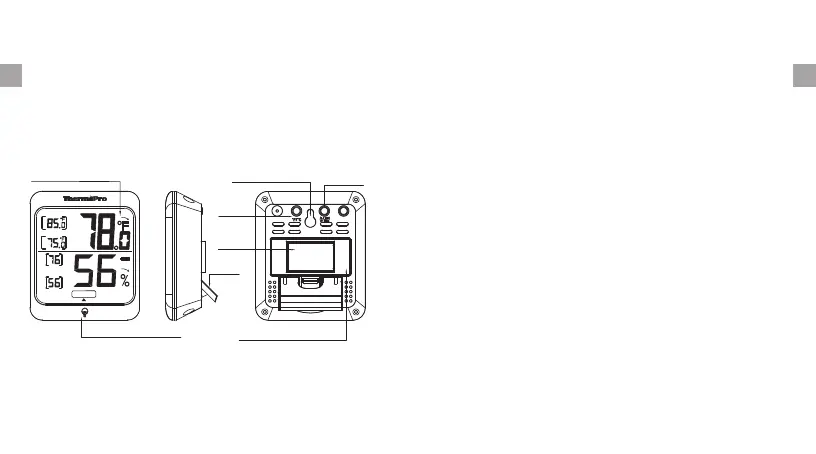
Wall hanging hole
ALL TIME
24 HRs
°C/°F
Magnet
Stand
Battery Compartment
Backlight Touch Button
Large LCD display
SIDE
high
LOW
all time
high
LOW
DRY COMFORT WET
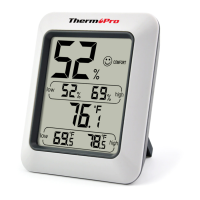
1.Display: Displays the current humidity and
temperature, maximum and minimum humidity/
temperature recorded in the past or past/24hrs.
-4-
-5-
ENEN
2.Battery Compartment: Holds 2 X AAA batteries
to
power the unit.
3.Temperature range: -58°F~158°F(-50°C~70°C).
4.Humidity range: 10% ~ 99%.
5.Temperature display unit: °C and °F selectable.
6.Temperature Resolution: 0.1 °C/°F.
7.Humidity Resolution: 1%.
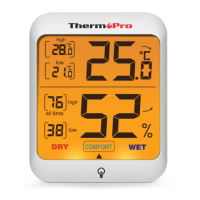
8.Comfort Level: DRY, COMFORT, WET.
10.Low battery indication.
11.Backlight function.
9.Totally wireless tabletop, magnet-mountable
and
wall-mounted design.
If humidity is below 30%: Dry.
If humidity is between 30% to 60%: Comfort.
If humidity is above 60%: Wet.


 To Next Page