Need help?
Do you have a question about the ThermoPro TP359 and is the answer not in the manual?
Details operating ranges and accuracy for temperature and humidity measurements.
Specifies the type and voltage of batteries required for device operation.
Explains Bluetooth connectivity, unit switching, backlight, and clock display functions.
Guide to download and install the 'ThermoPro Sensor' mobile application.
Steps for enabling Bluetooth, inserting batteries, and pairing the thermometer.
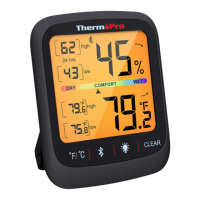
The ThermoPro TP359 is a Bluetooth-enabled smart thermometer and hygrometer designed to remotely monitor temperature and humidity in various indoor environments such as living rooms, bedrooms, and greenhouses. This device connects to your smartphone via Bluetooth, allowing you to access real-time data and historical trends through a dedicated mobile application.
To begin using the TP359, you first need to download and install the "ThermoPro Sensor" app on your smartphone. The app is available on the Apple App Store for iOS devices (version 9.0 and above) and on the Google Play Store for Android devices (version 4.4 and above). You can either scan the provided QR code in the manual or search for the app directly in the respective app stores. Android users should ensure they grant all necessary permissions to the app during installation.
Once the app is installed, the next step is to enable Bluetooth on your smartphone. This is typically done through your phone's Settings menu. If Bluetooth is already active, you can skip this step. The device itself is powered by two AAA batteries, which need to be inserted into the battery compartment on the back of the thermometer, ensuring correct polarity.
Upon successful battery installation, the temperature and humidity readings will appear on the device's screen. Simultaneously, a Bluetooth icon will start flashing at the top of the display, indicating that the thermometer is in pairing mode and ready to connect with your mobile phone. This flashing will continue for approximately two minutes.
To pair the device with your smartphone, launch the "ThermoPro Sensor" app. Within the app, you will find an option to add a new thermometer, usually represented by a "+" icon. Tapping this will display a list of available ThermoPro devices. Select your TP359 from the list to initiate the pairing process. Once pairing is complete, the Bluetooth icon on the thermometer's display will stop flashing, signifying a successful connection. The current temperature and humidity data will then be displayed within the app on your smartphone. If the Bluetooth icon stops flashing before you've completed the pairing, you can press and hold the backlight button on the device for two seconds to re-enter pairing mode, and the icon will begin flashing again.
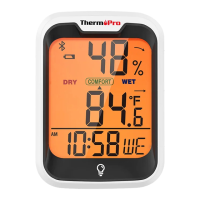
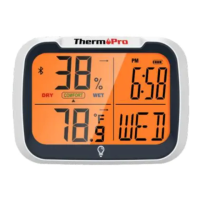
The TP359 features a button to toggle the temperature display unit between Fahrenheit (°F) and Celsius (°C), allowing you to choose your preferred measurement system. Additionally, there is a dedicated button to turn the backlight on or off, which is useful for viewing readings in low-light conditions. The device also includes a clock display, showing the time in either AM/PM 12-hour format or 24-hour format, along with the day of the week (MO, TU, WE, TH, FR, SA, SU). This clock functionality is synchronized with the app.
For maintenance, the device is designed for ease of use with minimal upkeep. The primary maintenance involves replacing the AAA batteries when they run low. The manufacturer provides a limited one-year warranty, covering defects in parts, materials, and workmanship from the date of purchase. Should any repairs or servicing be required under warranty, customers are advised to contact ThermoPro Customer Service via phone or email for instructions on how to pack and ship the product.
The device is designed to comply with various regulatory standards. It meets the basic requirements and applicable regulations of the Radio Equipment Directive 2014/53/EU and the EMC Directive 2014/30/EU. The full declaration of conformity can be found on the manufacturer's website.
Regarding disposal, the electronic appliance should not be discarded with normal household waste. Users are encouraged to dispose of the unit at an approved facility or a local recycling center, adhering to current rules and regulations for electronic waste. Contacting your local council is recommended if you have any doubts about proper disposal procedures.
The TP359 also complies with part 15 of the FCC rules, ensuring it does not cause harmful interference and accepts any interference received. Any changes or modifications not expressly approved by the responsible party could void the user's authority to operate the equipment. The device has been evaluated to meet general RF exposure requirements and can be used in portable exposure conditions without restriction. If the equipment causes harmful interference to radio or television reception, users are advised to try measures such as reorienting the receiving antenna, increasing separation between equipment and receiver, connecting the equipment to a different circuit, or consulting a dealer or an experienced radio/TV technician.
 General
| Dimensions | 1.7in x 1.7in x 0.7in (43mm x 43mm x 18mm) |
|---|---|
| Type | Digital Hygrometer Thermometer |
| Humidity Accuracy | ±3%RH (between 20%-80%) |
| Bluetooth Range | 260ft/80m |
| Display | LCD |
| Power Source | Battery |
| Response Time | Approximately 10 seconds |
| Resolution | Temperature: 0.1°F/0.1°C, Humidity: 0.1% RH |
| Weight | 2.4 oz (68 g) |

 To Next Page