www.mythinkcar.com
THINKTOOL Pros+/Pros
25
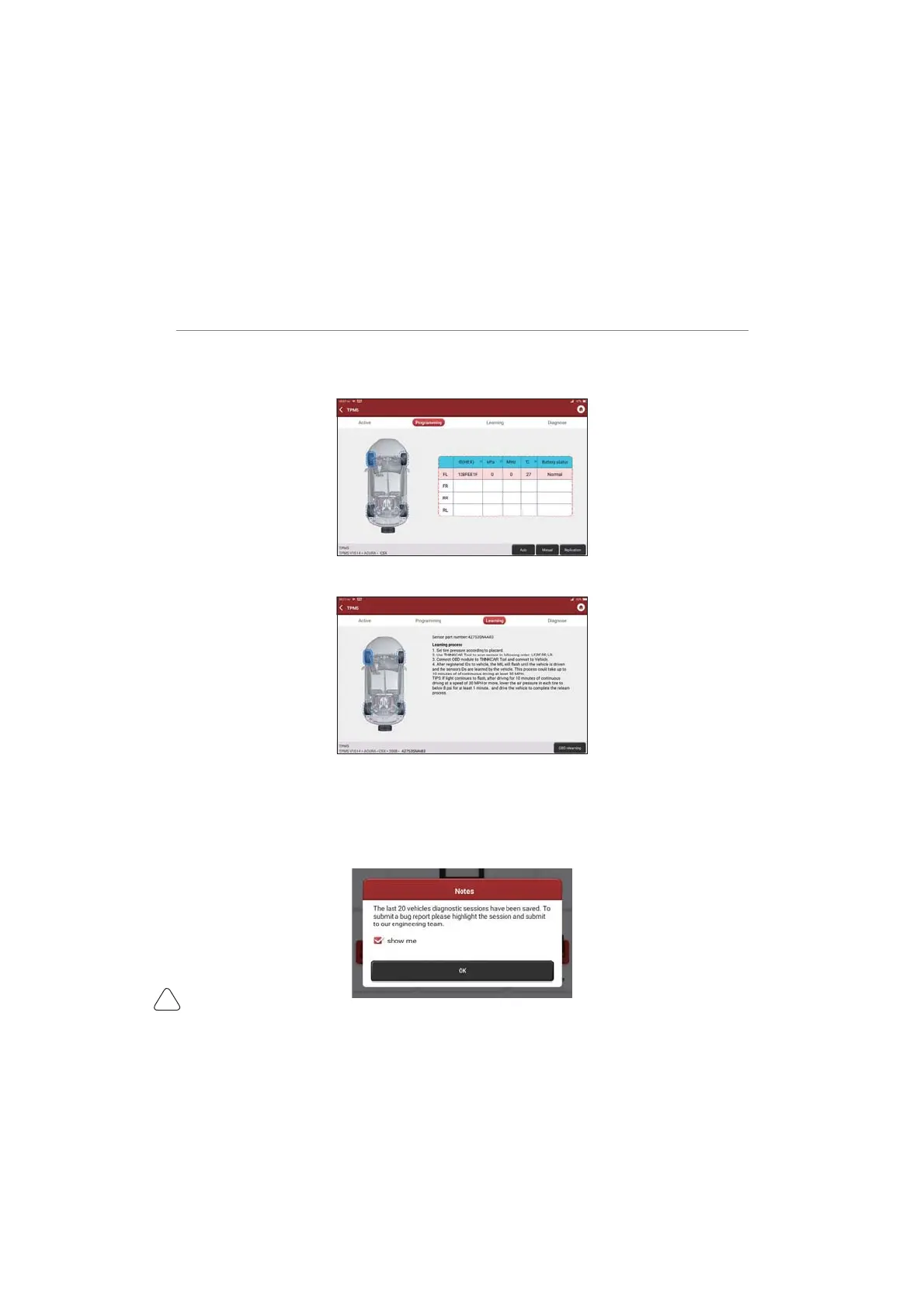
b) Programming: to program sensor data to a blank Thinkcar sensor, so as to replace a sensor that is in
low battery and does not function properly. There are three sensor programming methods available:
automatic, manual, and via activation replication.
F/HDUQLQJWRZULWHWKHVHQVRU,'LQWRWKHYHKLFOH(&8IRUVHQVRULGHQWL¿FDWLRQ
3.7 Diagnostic Feedback
If you encounter an unresolved problem or diagnostic software bug during diagnosis, you can revert
the most recent 20 test records to Thinkcar Team. When we receive your feedback, we will analyze
and troubleshoot it in a timely manner, to improve the quality of our products and user experience. Tap
Diagnostic Feedback, the below pop-up message will appear:


 To Next Page