Need help?
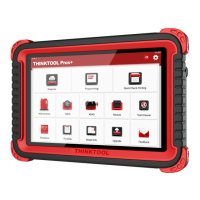
Do you have a question about the Thinkcar Pros and is the answer not in the manual?
To avoid personal injury, property loss, or accidental damage to the product, read all of the information in this section before using the product.
Steps for connecting the VCI device to the vehicle's diagnostic socket.
Identification and description of the physical buttons and ports on the THINKTOOL Pros+ device.
Start a smart diagnosis by automatically reading the vehicle VIN.
Manually select vehicle models and systems for diagnosis.
Perform a quick vehicle check and generate an automatic report.
Write control information into the automotive computer's programmable memory.
Perform matching, coding, and programming of vehicle modules and common reset functions.
 General
| Brand | Thinkcar |
|---|---|
| Model | Pros |
| Category | Motherboard |
| Language | English |


 To Next Page