www.mythinkcar.com
THINKTOOL Pros+/Pros
7
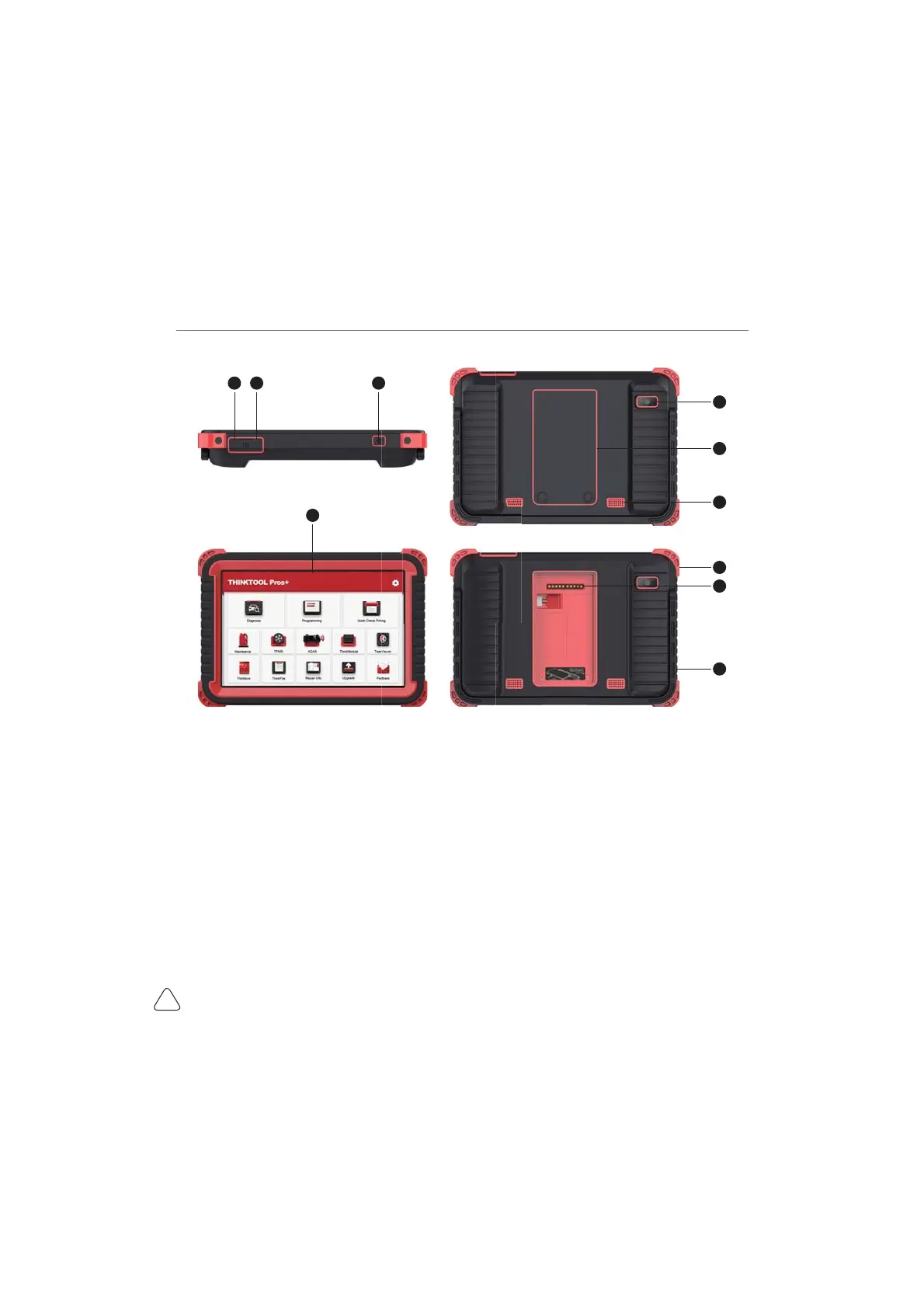
2.2 Components & Controls
(1) Display
(2) Power Key
3UHVVDQGKROGLWIRUVHFRQGVWRWXUQLWRႇ
Press and hold it for 8 seconds to perform forced shutdown.
3UHVVLWRQFHWRDFWLYDWHRUWXUQRႇWKHGHYLFH
(3) Type C Charging Slot: connect the supplied charger for charging
(4) USB Port: Reserved for add-on modules and other devices with similar port.
(5) Rear Camera
(6) Speaker
(7) Backplane: Remove the backplane of the tablet, and install function modules on the backend.
(8) Pin: Used for communication between the function expansion module and the host.
(9) Adjustable Kickstand: Flip out it to 180-degree angle and work comfortable at your desk, or hang it
on automotive part.
(10) Rubber Protection Sheet



 To Next Page