www.mythinkcar.com
THINKTOOL Pros+/Pros
11
3.2 Local Diagnose
In this mode, user can manually select vehicle models and systems for diagnosis
3.2.1 Manual Diagnose
THINKTOOL Pros+/Pros also supports step-by-step manual selection of menus for diagnosis.
To use the "DEMO" as an example to introduce how to start the diagnosis as below.
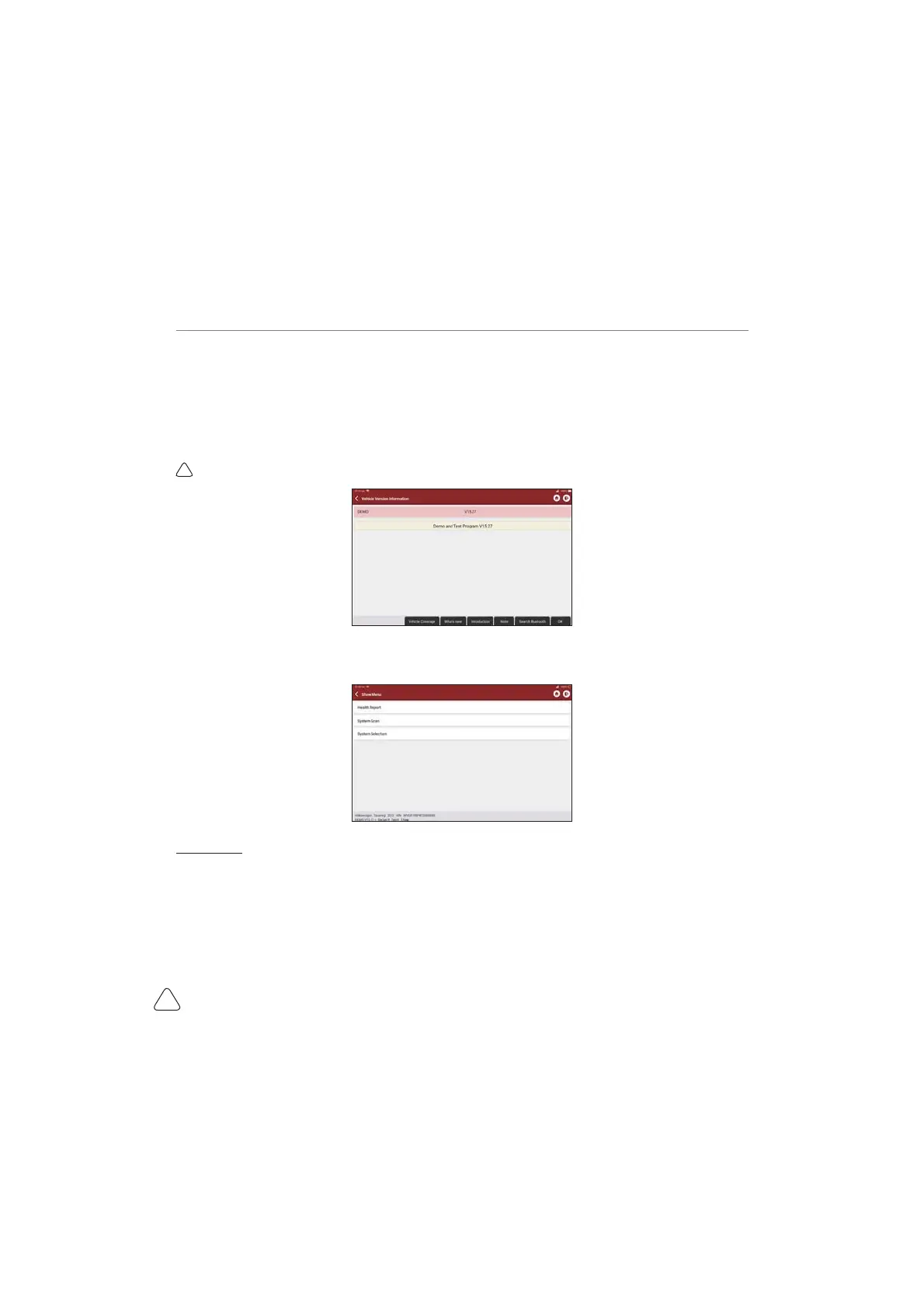
1) Select vehicle type: click on the "demo " icon on the main diagnostic interface to enter.
7LSV7KHGLDJQRVLVPHQXYDULHVZLWKGL൵HUHQWYHKLFOHV
2) Select Diagnostic method: After the connection is successful, the screen will enter the test item selection
interface.
A.Quick test: It enables you to quickly access all the electronic control units of the vehicle and generate a
detailed report about vehicle health. ( This function varies from vehicle to vehicle.)
Click "Quick Test", the system will start scanning the ECUs to see if there is fault code and and displays
WKHVSHFL¿FUHVXOWV



 To Next Page