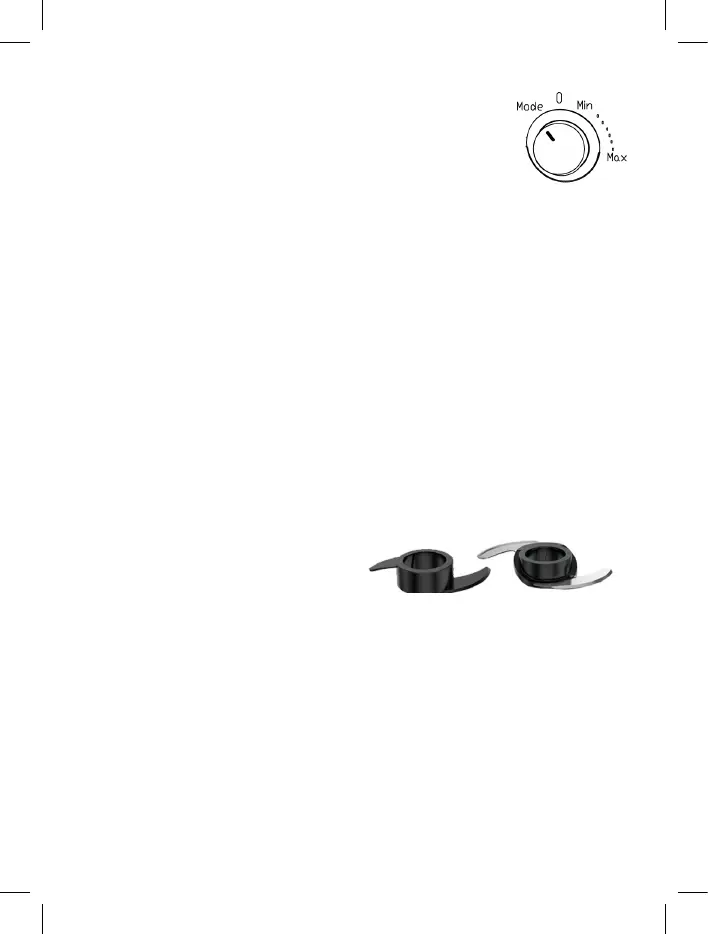
“MODE” LEVEL SWITCH CONTROL
Turn the switch control to the “0” position first.
Then, turn to “mode” - all 3 buttons will flash.
Once the appliance is put into “mode” function, the 3 mode buttons will
flash, which means the appliance is ready.
If the lights are not flashing, please recheck whether the accessories are
well inserted into the appliance.
Notice: Once “0” is selected, the “mode” function will be cancelled and the
lights will be back to flashing red.
• “Pulse” Mode button: Press down for Pulse blending, release to stop.
• “Crush” Mode button: This mode works automatically and intermit-
tently: it will work for a few seconds and stop, and repeat this process
several times.
• “Smoothies” Mode button: This mode works automatically: the
speed will increase until it reaches the maximum speed, blend for 2
minutes, and then stop by itself.
USING THE KNIFE BLADE
The 2 knife blades are the most versatile of all the attachments.
FOR STAINLESS STEEL BLADE:
• Before processing, cut the food into pieces the size of the pusher.
• Don’t let the appliance run more than 3 min. at a time. Allow the motor
to cool at least 30 min. before the next operation.
• For coarser foods, use the pulse function.


 To Next Page