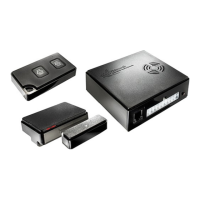
2 6 Expanding WiPro with wireless accessories
WiPro „all in one“ Operating Instructions
Contents
Section Page Contents
1 Handling the system
1.1 1 Controlling the system with the remote key fob
1.2 1 Controlling the system with the handheld transmitter
1.3 1 Activating the panic alarm
1.4 2 Opening the signal contact (ventilation function)
1.5 2 Signal transmitter battery low
1.6 2 Changing the transmitter battery
1.7 3 Changing the handheld transmitter battery
1.8 3 Changing the transmitter battery, magnetic contact
1.9 3 Changing the transmitter battery, cable loop (accessory)
1.9.1 3 Sequence of a burglary alarm
1.9.2 4 Sequence of a gas alarm (accessory)
1.9.3 4 Interrupting a burglary alarm with the remote key fob
1.9.4 4 Interrupting a burglary alarm with the handheld transmitter
1.9.5 4 Interrupting a gas alarm with the remote key fob
1.9.6 5 Interrupting a gas alarm with the handheld transmitter
1.9.7 5 Using the wireless gas alarm (accessory)
1.9.8 5 Using the cable loop (accessory)
1.9.9 5 Using the back-up siren
3 Miscellaneous
3.1 7 Technicalspecications
3.2 7 Approvals
3.3 7 Disposal instructions
3.4 7 Technical support
Disclaimer:
As with any other alarm system, WiPro can only report a break-in or attemp-
ted break-in but it cannot prevent it. Therefore, be wise and do not leave any
valuables on view or where they are easily accessible in the vehicle or leave
the vehicle unlocked.
Thitronik does not accept any liability for stolen valuables or damage to the
vehicle caused by a break-in.
GB


 To Next Page
 Loading...