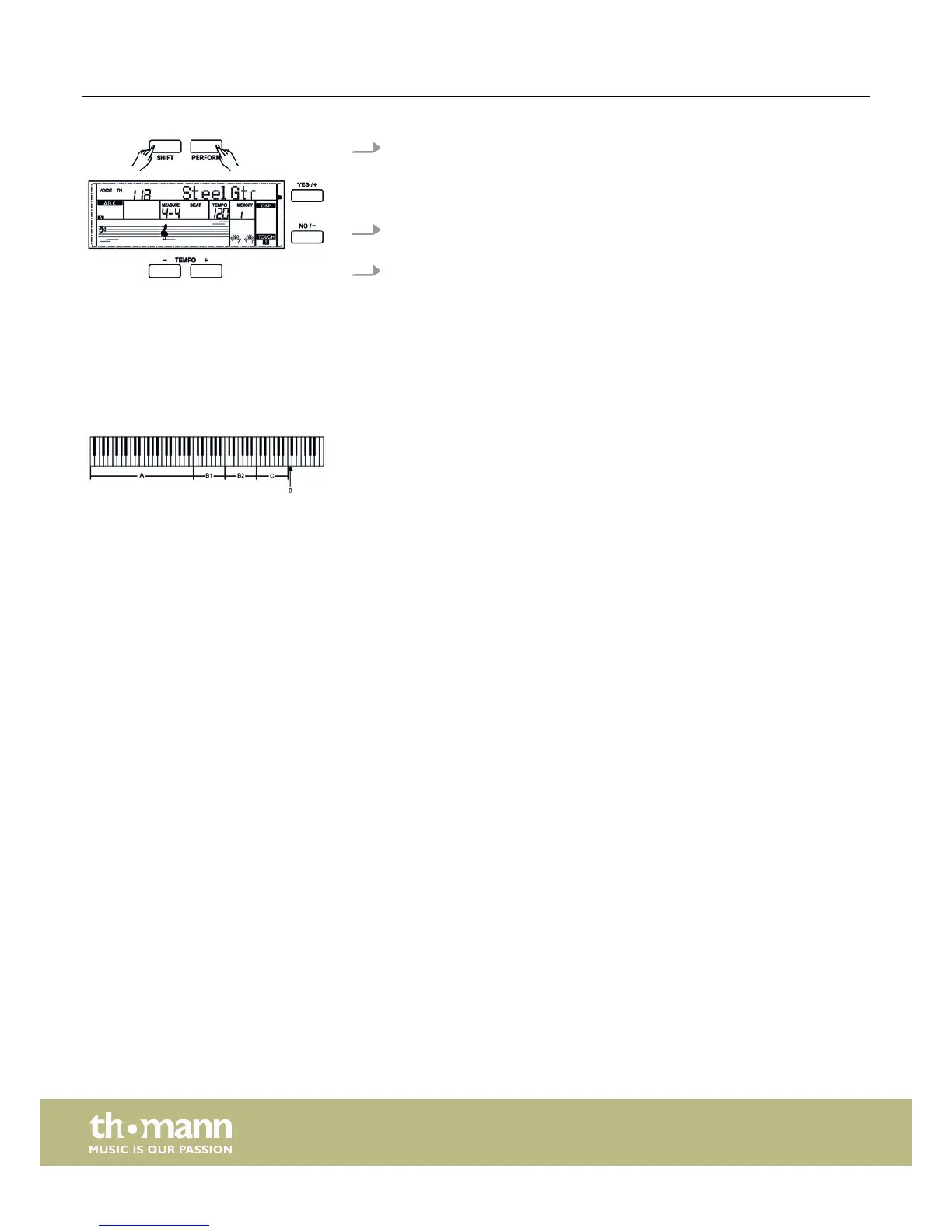
1. Simultaneously press the buttons [SHIFT] and [PERFORM] to enable the playing
aid.
GUITAR mode is enabled by default. Use the buttons [YES / +] and [NO / –] or
the jog dial to select a voice.
2. Adjust the Tempo using the buttons [TEMPO +] and [Tempo –] to adapt the
values).
3.
Adjust the time signature as described under
Ä
Chapter 7.2.13 ‘Time signature’
on page 29.
8.13.1 GUITAR mode
In this mode, you can simulate a guitar sound on the claviature. The table shows the
various play areas.
This area includes the keys A0 to B3 of the claviature.
The chord type appears in the display. The root of the guitar chord sounds.
This area includes the white keys C4 to B4 of the claviature.
Once the chord type is displayed, you can play several figures of broken chords with
the white keys in this area. While playing, you also have the possibility to vary the
chord played in the chord area.
This area includes the white keys C5 to A6 of the claviature.
Once the chord type is displayed, you can play a solo track with the white keys in this
area. While playing, you also have the possibility to vary the chord played in the
chord area.
This area includes the white keys C6 to G6 of the claviature.
Once the chord type is displayed, you can play a rhythm track with the white keys in
this area. While playing, you also have the possibility to vary the chord played in the
chord area.
Key C7. Press this button to shift upwards.
With keys A6 or B6, you have the opportunity to complete a phrase with a suitable
ending.
While playing, you can generate various reverb effects with the black keys in the
areas B1 and B2.
Chord area A
Area B1
Area B2
Rhythm area C
Shift D
Operating
digital piano
40



 To Next Page