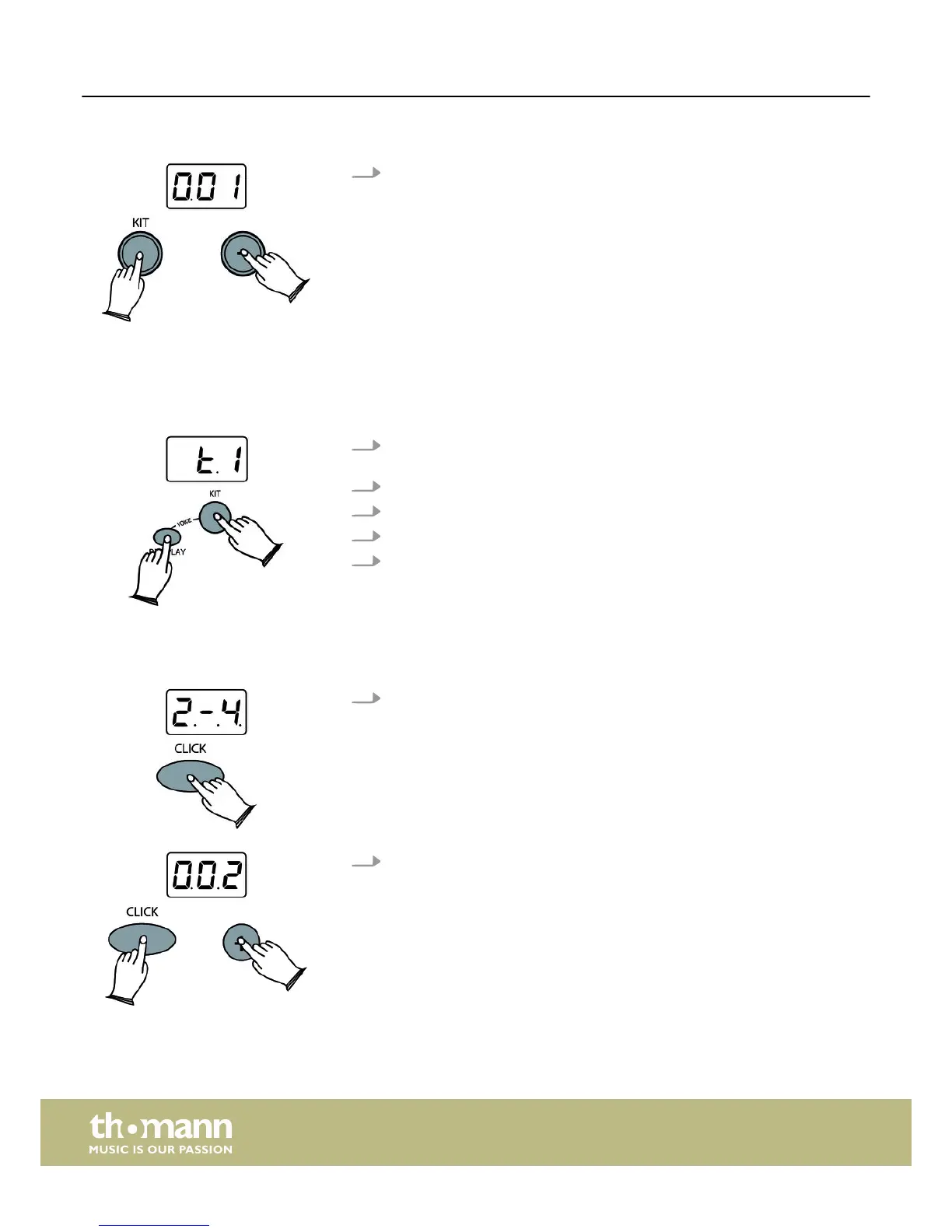
Press the [KIT] and[+] or[–] buttons simultaneously to adjust the pad volume.
You also can select the individual pads by hitting them. Value range: ‘0’
to‘127’.
Press [KIT] and [REC/PLAY] simultaneously, then hit a pad for which you want to
change the sound and use the [+] or [–] button to select the sound.
Example: Selecting a sound for tom 1
1. Press [KIT] and [REC/PLAY] simultaneously. The LED display shows the selected
pad. Hit tom 1, and the LED display will show tom 1.
2. Hit another pad and select its sound using the [+] or [–] buttons.
3. You can also press [CLICK] to listen to the sound.
4. Finally press the [REC/PLAY] button to save your settings in the user kit.
5. Press any other key to exit the menu.
1. Click type
Press [CLICK] for two seconds to enter the metronome type menu, then use the
[+] or [–] buttons to select the click type. Value range: ‘1/4’, ‘2/4’, ‘3/4’, ‘4/4’,
‘6/4’, ‘3/8’, ‘6/8’, ‘12/8’. Default setting: ‘4/4’.
2. Click sound
When the click is activated press and hold [CLICK], then use the [+] or [–] but‐
tons to select the click sound. Value range: ‘001’ to‘003’.
KIT button
Selecting a sound
CLICK button
Operation
e-drum set
18














 To Next Page