22
Function Menu
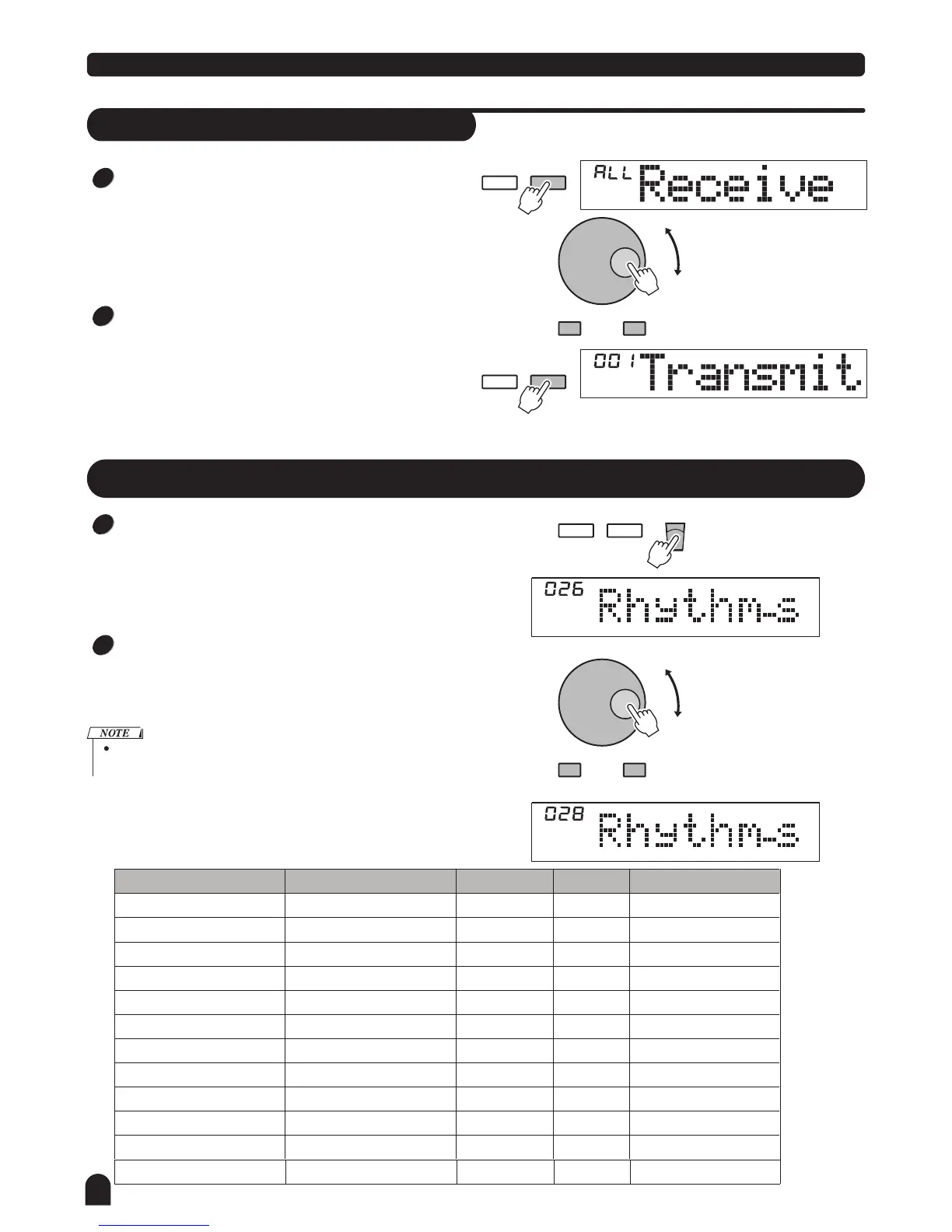
MIDI Setting
RECEIVE can be used to set the channel of MIDI IN.
The default setting is "all ". Otherwise, channel 1~16 can
also be selected separately.
Use [+/YES] / [-/NO] button or the DIAL to select the
channel.
TRANSMIT can be used to set the channel of MIDI OUT.
There are total of 16 channels for selection. Default
setting is "001".
Use [+/YES] / [-/NO] button or the DIAL to select the
channel.
FUNCTION
NEXTBACK
FUNCTION
NEXTBACK
- / NO + / YES
- / NO + / YES
1
1
2
2
Mixer Menu
Press the [MIXER] button to enter the menu of mixer. The
default option of the menu is "Rhythm_s", then the option
you enter next time will be the same as last time you exit.
Press the [MIXER] button continuously to select the option
you want, then use the [+/YES] / [-/NO] button or the DIAL
to set the parameters.
If you don't press any button for 5 seconds after entering
the MIXER menu, it will quit this menu automatically.
Option
LCD Display
Range
Deafult
Rhythm_s Volume
Rhythm_m Volume
026 Rhythm_s
026 Rhythm_m
026 Bass
026 Chord1
026 Chord2
026 Chord3
026 Phrase1
026 Phrase2
026Voice R1
010 Voice R2
010 Voice L
020 Sd play
000 -031
026
000 -031
Bass Volume
Chord 1 Volume
Chord 2 Volume
Chord 3 Volume
Phrase 1 Volume
Phrase 2 Volume
Voice R1 Volume
000 -031
000 -031
000 -031
000 -031
000 -031
000 -031
000 -031 026
026
026
026
026
026
026
026
percussion instrument 1
percussion instrument 2
bass foil
symphonic melody 1
symphonic melody 2
symphonic melody 3
intermezzo snippet 1
intermezzo snippet 2
single voice
dual voice
lower voice
Description
Voice R2 Volume
Voice L Volume
000 -031 020
000 -031
012
SD MIDI PLAY Volume
000 -031 020
FUNCTION
NEXTBACK
STORE
The option and the parameters in detail as belows:



 To Next Page