6 [LINE]
Line inputs of channels CH1 … CH4.
Instruments like keyboards, synthesizers or drum machines as well as effects devices can be connected to these
inputs.
7 [PHANTOM]
Push button to turn the phantom power on / off for the XLR microphone inputs of the CH1 … CH4.
The phantom power leads to damage to the device if unbalanced cables are connected. Only switch on phantom
power while exclusively balanced cables are connected.
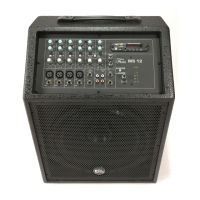
8 MP3 / WAV player with display and function buttons.
Press the [MODE] button of the player to select the desired audio source. Options: USB (‘USB’), SD card (‘SD’), Blue-
tooth (‘VIRE BT’).
Use the [VOL-], [SCAN] and [VOL+] buttons to control the playback.
Keep the buttons [VOL-] or [VOL+] for at least two seconds pressed to adjust the volume of the player.
Connections and controls
active speaker
18

 To Next Page
 Loading...