21
Problem
Little or no air flow.
Possible cause
Diaphragm protective
switch activated through
damaged diaphragm or
external impact
(excluding AP-30/ AP-
40).
Solution
Disconnect power.
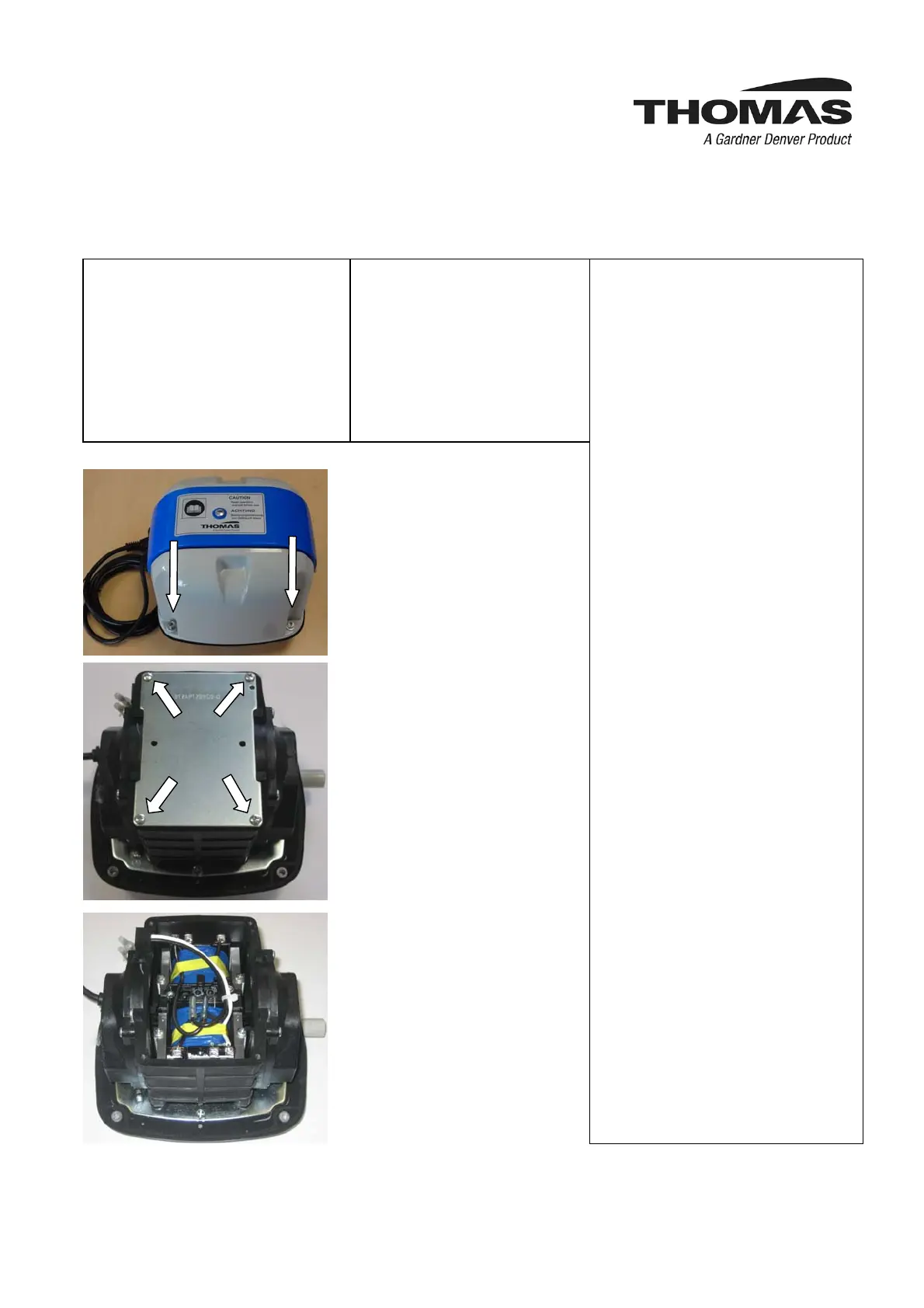
Remove pump housing via
four outer screws, see photo
3.
Remove cover plate after
removal of four screws, see
photo 4.
The diaphragm protection
switch (photo 5 and 6) is
activated when the the black
pin is either on the right or
left hand side and the
orange colored pin is visible
(photo 7 and 8). For reset
move the black pin back to
the center position until the
orange pin disappears. This
can be done with a screw
driver applied at the lower
area of the black pin (photo
9).
If triggering of diaphragm
protective switch repeats
the diaphragm is probably
damaged. Please contact
trained service personnel!
Photo 3: Four outer screws
to be removed
Photo 4: Four screws to be
removed
Photo 5: After removal of
the cover plate the
diaphragm protection
switch is visible



 To Next Page