9
C - CONFIGURATION
ATMOSPHERIC PRESSURE AND WEATHER
FORECAST
The weather station is equipped with an
atmospheric pressure sensor to display this value
and its progression:
- This value can be expressed in hPa or in
inHg. To change the unit of measure,
press and hold for 3 seconds on the
HPA/INGH button, until the unit ashes. Press
DOWN or UP to change it.
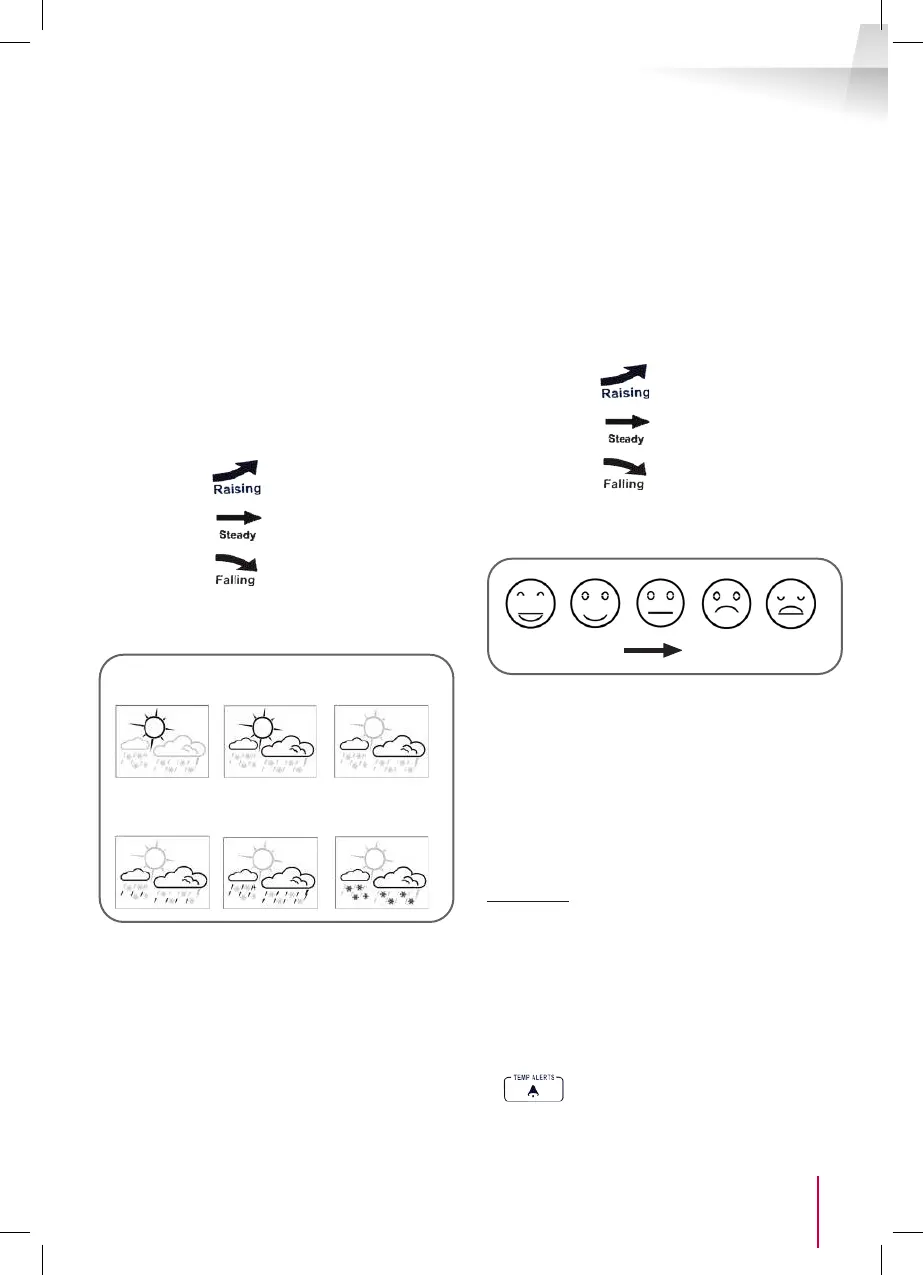
Following the progression of the atmospheric
pressure:
3 statuses are possible:
Raising:
Steady:
Falling:
The weather station also has a weather forecast
function: It can display 6 different statuses:
Sun
Rainy
Light
clouds
Heavy rain
Stormy
Cloudy
Snowy
It is possible to adjust this forecast depending on
the current weather:
- Press and hold the HPA/INHG button for
3 seconds, until the hPa
mb or inHG unit ashes
press the HPA/INHG button again.
- Once the forecast logo ashes,
using the UP and DOWN buttons, you can
scroll through the forecasts, and set the weather
station to the actual weather where you are.
- Press the HPA /
INHG button again to conrm this setting.
TEMPERATURE AND HYGROMETRY
This weather station allows you to simultaneously
display the indoor and outdoor temperature as well
as the indoor and outdoor humidity.
The weather station also displays the progression
of these values:
3 statuses are possible:
Raising:
Steady:
Falling:
A comfort indication is symbolised by smiley displays
(13), depending on the indoor readings.
Comfortable Too hot/cold
SETTING THE MEASUREMENT UNIT/MIN-MAX
MEMORY/SENSOR
- Press the Up button to alternate between
Celsius and Fahrenheit
- Press the MEMORY button to conrm. Scroll
through the Max/Min/Current value
- Press and hold MEMORY for 3 seconds to erase
the MIN/MAX values saved.
Information: this weather station can display up
to 3 channels for outdoor sensors. It will only use
channel no. 1 (3). You can scroll through the different
channels by pressing the DOWN button briey to
display your outdoor sensor.
TEMPERATURE ALERT SETTING
- To activate the outdoor temperature alert
function, press the ALERT button once. The
LED is displayed for you to conrm the
alert.
- To deactivate the ALERT function, press


 To Next Page