11
USE
CLOCK RADIO
CP280
EN
Manual storage:
• Select a frequency by pressing /HOUR
and /MINUTE.
• Press /MEMORY: the P01 display will ash on
and off. Press /MEMORY again to store the radio
frequency.
• Repeat these steps to memorise up to 20 stations.
Automatic storage:
• Hold down PRESET/ for 2 seconds: a frequency
search will be performed automatically and will store up
to 20 stations.
ACCESSING THE MEMORY
The radio must be turned on:
• Press PRESET/ repeatedly to move from one stored
radio station to the next (P01 to P20).
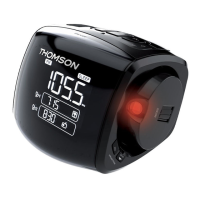
SETTING THE PROJECTOR
The projector (12) displays the time on any at surface in a
room. For the best possible display, the projection surface
should ideally be at a sufcient distance from the appliance.
• Press to turn on the projector and start displaying
the time one of the room’s surfaces (wall, ceiling).
• Turn the projector knob to change the orientation of the
projector.
• Turn the ROTATE knob to nd the best projection angle.
• Press INV to reverse the clock display.


 To Next Page