Operating Your Receiver
EN
13
Switching on/off
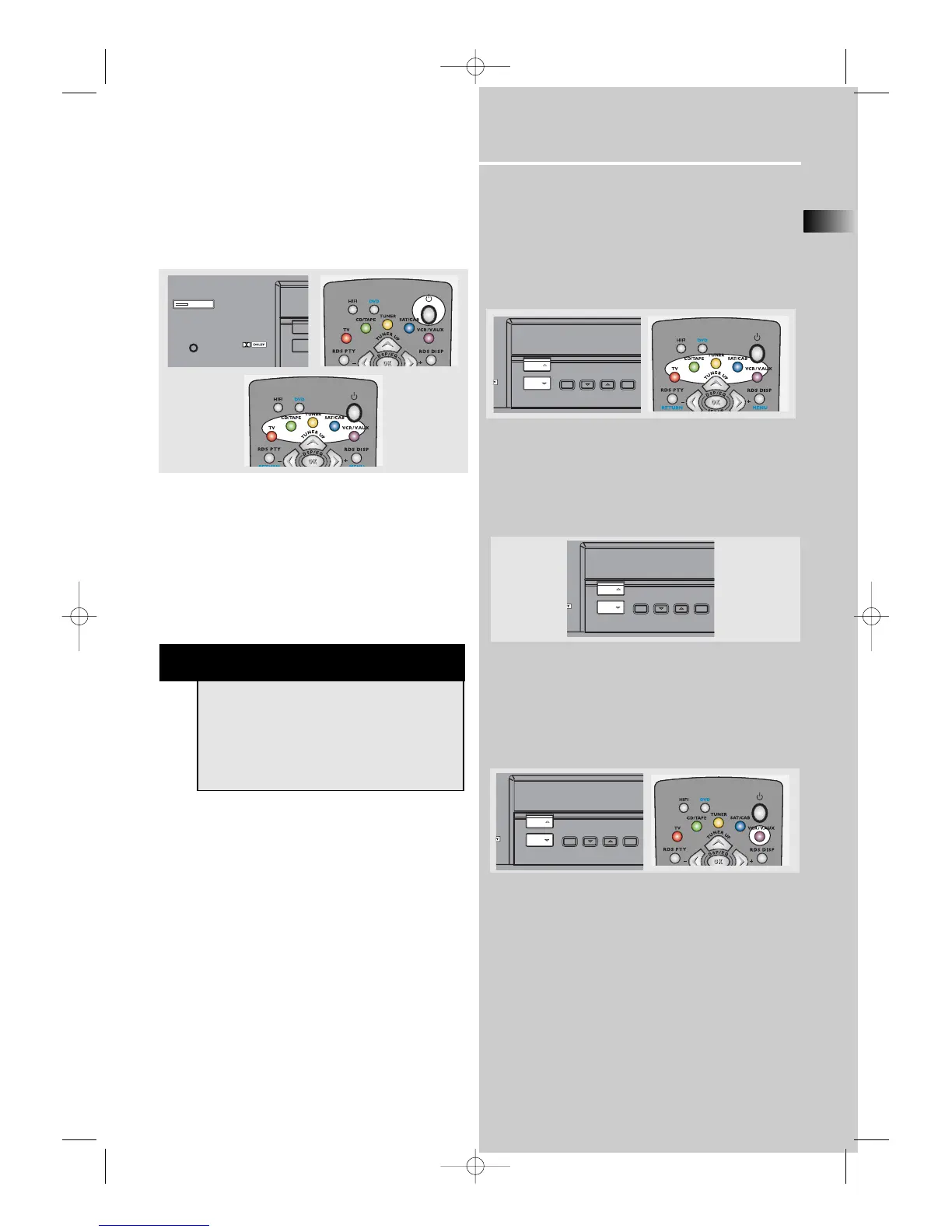
• To switch on the receiver, press ON/ECO button
once, or any source button on the remote control.
• Standby: when the receiver is on, press the
ON/ECO button once to activate the standby mode.
• To switch off the unit completely, unplug the
power cord from the socket
Selection of Audio/Video source
When one of the source buttons is pressed, the audio
and video input corresponding to the name will be
activated.
The receiver acts as a switching device between all
the sources that are plugged into it.
Example 1:
If you connect a DVD player to the DVD input
(audio + video) on the receiver and press the source
button repeatedly until DVD is selected, you will be
able to have the sound and image transmitted by
the DVD.
Example 2:
Based on the example 1, the DVD is playing , if a
VCR is connected to the VCR 1 input (audio +
video) of the receiver, press the VCR/VAUX button ,
or press source button repeatedly until VCR is
selected, image and sound from the VCR source will
replace the DVD.
NOTE
Your receiver has a back up memory to keep
your settings like preset radio station for
about 2 weeks in case electricity outage
occurs. If the receiver is unplugged for more
than 2 weeks, all the settings will be lost and
reset to factory settings.



 To Next Page