- EN 4 -
Description of Parts
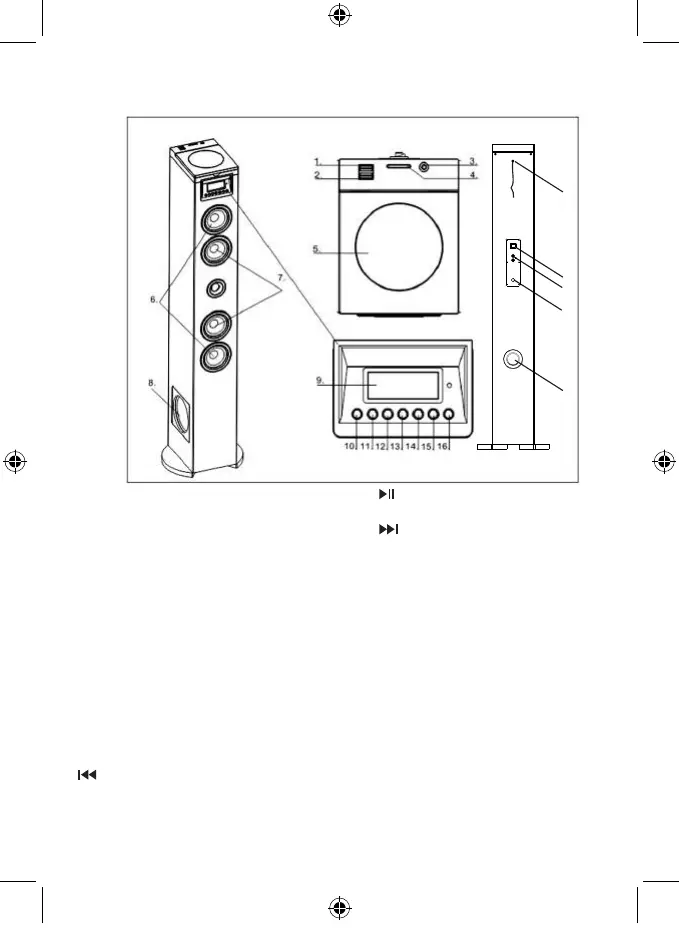
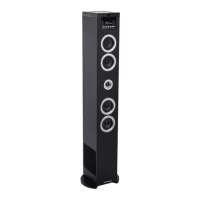
Overview of the main unit
1. USB Charge
2. USB socket
3. Audio in
Connect an external audio device
4. SD slot
5. CD door
6. Tweeter speaker
7. Speakers
8. Subwoofer speaker
9. Display panel
Show the current status
10. Standby
Turn on the unit, switch to Standby mode
11. Source
Select a source: CD, Bluetooth, USB, FM or
AUDIO IN
12.
Skip to the previous track
Tune to a radio station
Press and hold the key to search within a
track / USB
13.
Start or pause play
14.
Skip to the next track
Tune to a radio station
Press and hold the key to search within a
track / USB
15. VOL -
Adjust the Volume-
16. VOL +
Adjust the Volume+
17.
Power switch
Switch on or off your tower
18.
RCA jack
Connect an external audio device
19.
FM antenna
20. AC~ Mains
Power supply cable
21. Outlet hole
17
18
19
20
21


 To Next Page