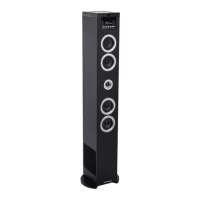
- EN 5 -
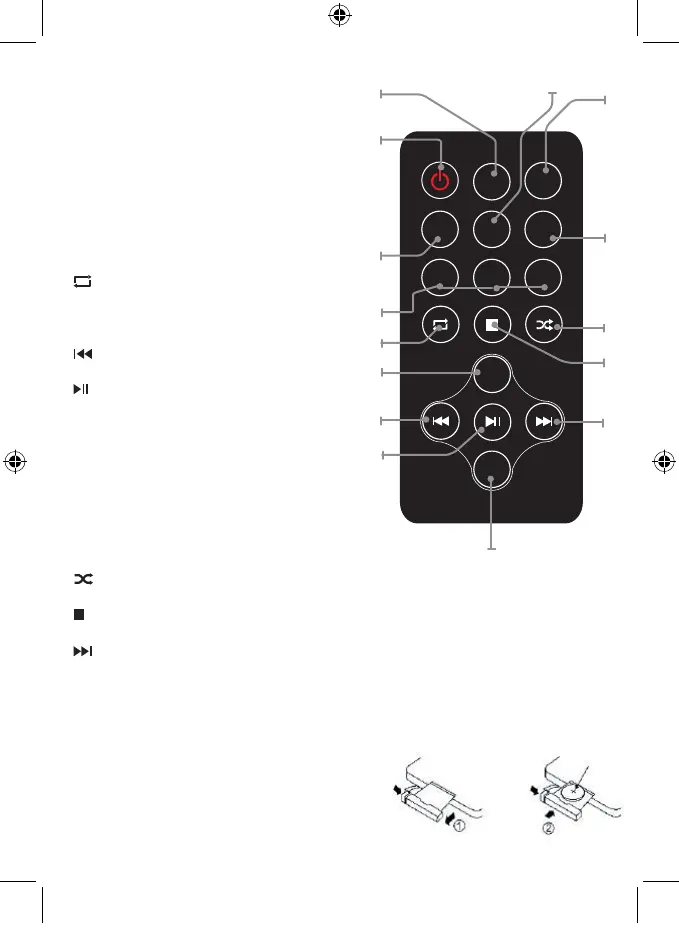
Overview of Remote Control
1. SLEEP
Press repeatedly to set a sleep timer to turn the
tower of after a set amount of time has passed
2. POWER
Press to power the tower off and on
3. TIME
Press to set alarm on standby
4. MEM / MEM+ / MEM-
Press MEM to save the current radio station to a
preset channel.
Press MEM+/MEM- to choose the FM stations
5.
Select the repeat play in CD mode
6. VOLUME+
Press to adjust the volume+
7.
Skip to the previous track
8.
start or pause play
9. VOLUME-
Press to adjust the volume-
10. ALARM
Press to set alarm on standby mode
11. MUTE
Press to Mute or restore volume
12. SOURCE
Select a source: CD, Bluetooth, USB, FM or
Audio in
13.
Select the random play mode in CD mode
14.
Stop play
15.
Skip to the next track
Use: The remote control operates on 1 pc CR2025 lithium battery (included).to power up the remote
control; remove the insulation tab from the back unit.
SOURCE
MUTE
ALARM
TIME
MEM MEM+MEM-
VOL-
VOL+
SLEEP
4.
1.
2.
3.
6.
8.
9.
10.
11.
12.
13.
15.
14.
7.
5.
Replacing battery
The remote control works with lithium button cell
CR2025 3 V batteries. When the remote no longer
works you need to replace the batteries as follows:
• Press the tab on the side of the battery cover to
release it and allow the battery support to come out.
• Replace the battery paying attention to the correct
orientation of the poles.
CR2025


 To Next Page