EasyManua.ls Logo

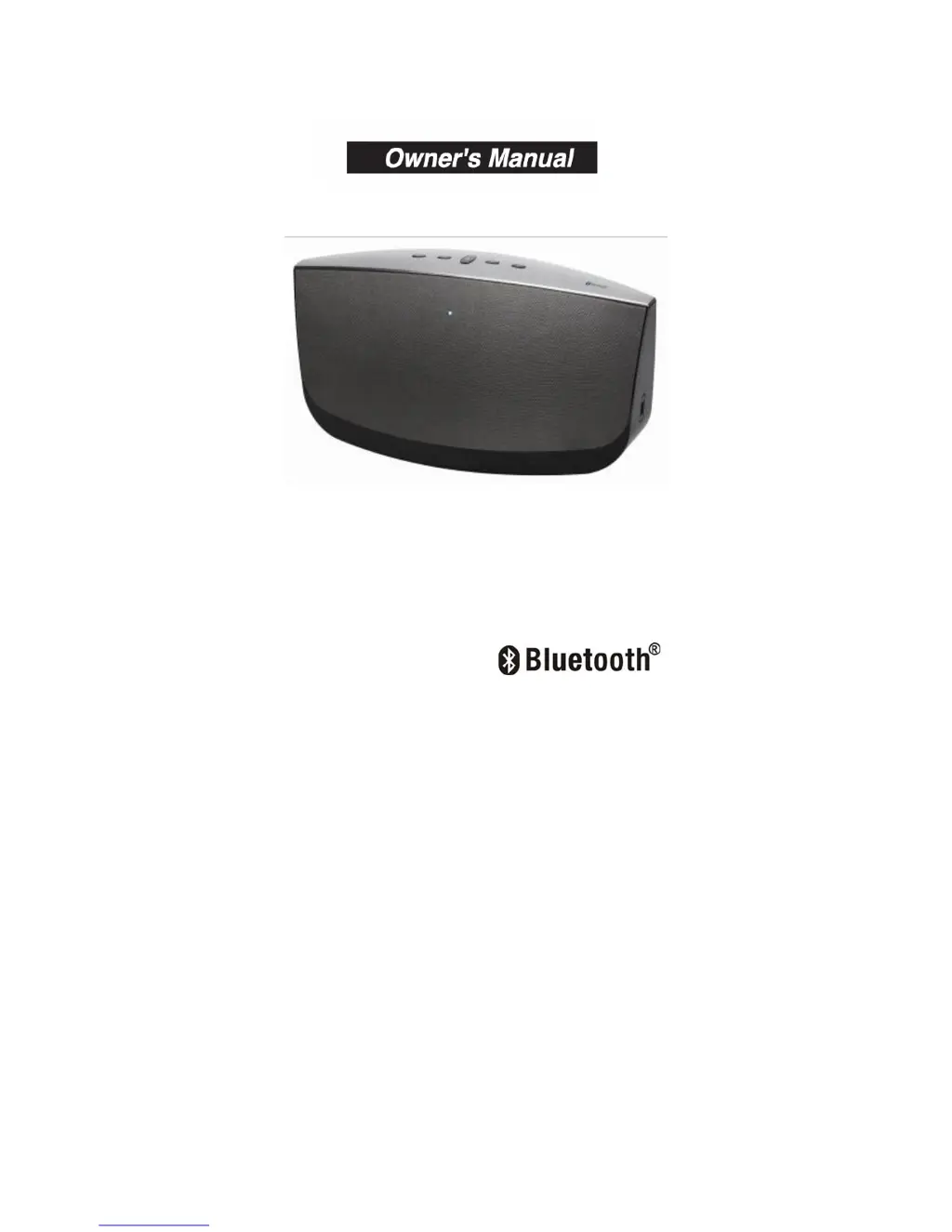
THOMSON MW-1266 - User Manual

THOMSON MW-1266
12 pages
Print Icon
To Next Page IconTo Next Page
Loading...
2
2
.
.
1
1
C
C
H
H
B
B
l
l
u
u
e
e
t
t
o
o
o
o
t
t
h
h
S
S
p
p
e
e
a
a
k
k
e
e
r
r
PLEASE READ BEFORE OPERATING THIS EQUIPMENT.
Model No.: MW-1266

Questions and Answers

Summary

Important Safety Instructions

General Safety Precautions

Covers warnings on water use, ventilation, heat sources, power cord, servicing, and installation practices.

Electrical, Battery, and Symbol Safety

Details risks related to moisture, battery handling, explosion, and electrical shock, including symbol explanations.

Location of Controls

Front View Controls

Identifies controls and indicators visible on the front of the speaker unit.

Top View Controls

Details the buttons and ports located on the top surface of the speaker.

Back View Connections

Shows the ports and connectors available on the rear of the speaker unit.

Remote Control Functions

Remote Control Button Operations

Explains the purpose and operation of each button on the provided remote control for the speaker.

Power Sources and Battery

Unit and Remote Power

Details the power requirements for the main speaker unit and the remote control's battery.

Battery Care and Warnings

Provides crucial information and warnings regarding the handling, replacement, and disposal of batteries.

Included Accessories

Getting Started

Operating Modes

Changing Play Modes

Instructions on how to switch between Bluetooth and AUX-IN modes, indicated by power light color.

Bluetooth Playback

Explains Bluetooth technology, range, and potential interference for wireless audio.

Pairing Devices via Bluetooth

Bluetooth Pairing Process

Step-by-step guide on how to connect your Bluetooth-enabled device to the speaker, including passkey.

AUX-IN (Line In) Operation

Connecting and Using Aux-In

Instructions for connecting external audio devices via the AUX-IN jack and operating the speaker.

Troubleshooting Guide

Common Faults and Solutions

Provides solutions for common issues such as unit not operating, no audio, connection problems, and remote control issues.

Specifications

FCC Information and Copyright

Summary

Important Safety Instructions

General Safety Precautions

Covers warnings on water use, ventilation, heat sources, power cord, servicing, and installation practices.

Electrical, Battery, and Symbol Safety

Details risks related to moisture, battery handling, explosion, and electrical shock, including symbol explanations.

Location of Controls

Front View Controls

Identifies controls and indicators visible on the front of the speaker unit.

Top View Controls

Details the buttons and ports located on the top surface of the speaker.

Back View Connections

Shows the ports and connectors available on the rear of the speaker unit.

Remote Control Functions

Remote Control Button Operations

Explains the purpose and operation of each button on the provided remote control for the speaker.

Power Sources and Battery

Unit and Remote Power

Details the power requirements for the main speaker unit and the remote control's battery.

Battery Care and Warnings

Provides crucial information and warnings regarding the handling, replacement, and disposal of batteries.

Included Accessories

Getting Started

Operating Modes

Changing Play Modes

Instructions on how to switch between Bluetooth and AUX-IN modes, indicated by power light color.

Bluetooth Playback

Explains Bluetooth technology, range, and potential interference for wireless audio.

Pairing Devices via Bluetooth

Bluetooth Pairing Process

Step-by-step guide on how to connect your Bluetooth-enabled device to the speaker, including passkey.

AUX-IN (Line In) Operation

Connecting and Using Aux-In

Instructions for connecting external audio devices via the AUX-IN jack and operating the speaker.

Troubleshooting Guide

Common Faults and Solutions

Provides solutions for common issues such as unit not operating, no audio, connection problems, and remote control issues.

Specifications

FCC Information and Copyright

THOMSON MW-1266 Specifications

General IconGeneral
BrandThomson
ModelMW-1266
CategorySpeakers
TypePortable Bluetooth Speaker
ConnectivityBluetooth

Related product manuals