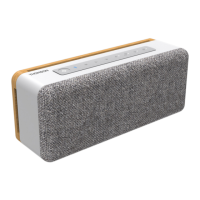
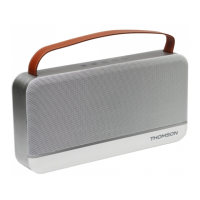
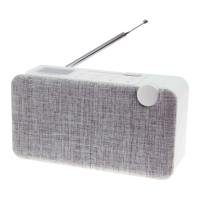
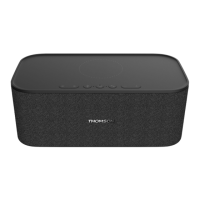
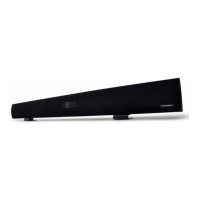
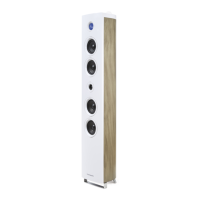
The Thomson WS702 is a versatile speaker designed for home use, offering a range of connectivity options and sound adjustments. It is manufactured and sold by Bigben Interactive under license from Talisman Brands, Inc.
Function Description
The WS702 functions as a multi-input speaker, allowing users to play audio from various sources. It features Bluetooth connectivity for wireless streaming from mobile devices, as well as physical inputs for TV audio, Line In (RCA), Optical, and USB. The device also includes controls for bass and treble, and a master volume/source control. An auxiliary output allows for connecting an external speaker, and a subwoofer output reinforces low frequencies. The speaker automatically enters standby mode after a period of inactivity to save energy and can be reactivated via the power button.
Important Technical Specifications
Audio:
- Broadband loudspeaker: 4" (20W) x 2
- Tweeter: 1.25" (5W) x 2
- Peak power: 50 W
- RMS power: 50 W
- S/B ratio: ≥80dB
- Distortion: < 1%
- Speaker frequency: 45 Hz - 20K Hz
Connectivity:
- Wireless frequency: 2,402 - 2,480 MHz
- Bluetooth version: 5.0
- ERIP: -2.6dBm
- Transmission range: 10 m
- Inputs: Bluetooth, LINE (RCA), TV Audio, Optic, USB
- Outputs: AUX out, Sub out
Power:
- Power consumption: 0.09W
- Power supply: DC 19V, 1.8A
- Adapter: TP04-190180E (AC 100-240V 50/60Hz, 19V, 1.8A, 34.2W)
- Average efficiency in active mode: 88.06%
- Low-load efficiency (10%): 82.62%
- No-load power consumption: 0.09W
Physical:
- Dimensions: 430 x 150 x 170 mm
Usage Features
Getting Started:
- Unpack the appliance and remove all packaging materials.
- Place the product on a stable surface, ensuring adequate ventilation.
- Connect the power cord, ensuring the voltage matches the rating plate. Always pull the plug, not the cord, when disconnecting.
Controls:
- On/Off switch: Located on the front panel.
- Bass control (01): Adjusts low frequencies.
- Treble control (02): Adjusts high frequencies.
- Master volume control / Source (mode) (03): Controls overall volume and switches between input sources.
- LED indicator (04): Displays the active input source with different colors (Blue for Bluetooth, Green for TV Audio, Pink for USB, White for Optical, Blue for Line In).
Remote Control:
The remote control provides comprehensive control over the speaker's functions:
- Power button: Turns the speaker on/off.
- Mute button: Enables/disables sound.
- Volume controls (VOL+, VOL-): Adjusts volume up or down.
- Track controls (<, >): Skips to previous or next track (for USB/Bluetooth modes).
- Play/Pause button: Controls playback (for USB/Bluetooth modes).
- Mode selection buttons (OPT, TV, USB, BT, LINE, MOVIE, MUSIC, VOICE): Directly selects input sources and sound modes.
Input Sources:
- Line In: Press the mode/volume button or the "LINE" button on the remote. Connect an audio source with an RCA cable.
- TV Audio: Press the mode/volume button or the "TV" button on the remote (LED turns green). Connect the speaker's TV AUDIO port to the TV's output with a high-speed TV cable. Set the TV's audio output to "PCM" for optimal sound.
- USB: Insert a USB drive (max 32GB for MP3) into the USB A port on the rear. Press the mode/volume button or the "TV" button on the remote (LED turns pink).
- Optical: Press the mode/volume button or the "OPT" button on the remote (LED turns white). Connect an audio source with an optical cable.
- Bluetooth: Press the mode/volume button or the "BT" button on the remote (LED turns blue). Search for "WS702" on your source device (phone, tablet) and pair. Double-tap quickly to disconnect.
Sound Modes:
The remote control offers specific sound modes:
- MOVIE: Movie mode.
- MUSIC: Music mode.
- VOICE: Voice mode.
Troubleshooting:
- No sound: Check power indicator, increase volume, ensure cables are connected and input is correct, verify output signal from source.
- Unable to connect via Bluetooth: Ensure speaker is in Bluetooth mode, re-pair, disconnect other Bluetooth devices, check transmission range (10m).
- Speaker does not turn on: Check power connection and mains socket switch.
Maintenance Features
Cleaning:
- Always unplug the device before cleaning.
- Clean with a soft cloth.
- Do not use abrasive products or harsh cleaners.
- Do not lubricate any part of the appliance.
Battery Safety (for remote control):
- Use AA Ni-MH, alkaline, or lithium batteries.
- Do not charge non-rechargeable batteries.
- Do not mix different types of batteries or new and old batteries.
- Insert batteries with correct polarity (+ and -).
- Do not short-circuit battery poles.
- Remove dead batteries promptly.
- Replace batteries with an identical or equivalent model.
- Do not expose batteries to excessive heat, fire, or water.
- Do not use metal objects to remove batteries.
- Do not deform, crush, pierce, or disassemble batteries.
- Cover battery ends with tape before disposal to prevent explosions/combustion.
- Dispose of batteries environmentally and according to local regulations; do not dispose with ordinary household waste.
- WARNING: Keep batteries out of reach of children. Swallowing can cause severe internal burns and death. Seek immediate medical attention if swallowed.
General Safety:
- Never remove the appliance casing.
- Do not place on other electrical equipment.
- Protect the power cord from damage.
- Use only manufacturer-recommended attachments/accessories.
- Entrust all repairs to qualified personnel.
- Do not block air vents.
- Use in a moderate climate, away from direct sunlight, naked flames, or heat sources.
- Maintain a minimum distance of 20 cm from the human body during operation.
- This device is for household use only; do not use outdoors.
- Children aged 8 and over, and persons with reduced capabilities, may use the appliance under supervision and after receiving instructions on safe use and understanding risks. Children must not play with the appliance or power cord, nor clean/maintain it without supervision.
- The device must be supplied only with very low safety voltage corresponding to the marking on the device.
- The battery should be removed from the device before disposal, and the device disconnected from the power supply during battery removal.
Environmental Protection:
- The product is designed with high-quality materials for recycling and reuse.
- The crossed-out wheelie bin symbol indicates compliance with European Directive 2002/96/EC. Dispose of the product and batteries according to local regulations for electrical and electronic waste.

 Need help?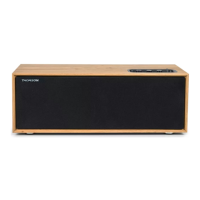

 To Next Page
 General