2
Contents
1
ENEN
Before You Begin
Unpacking Your Unit
You should have the following:
• one main unit
• one carrying strap
• one set of clip phones
• one user’s guide
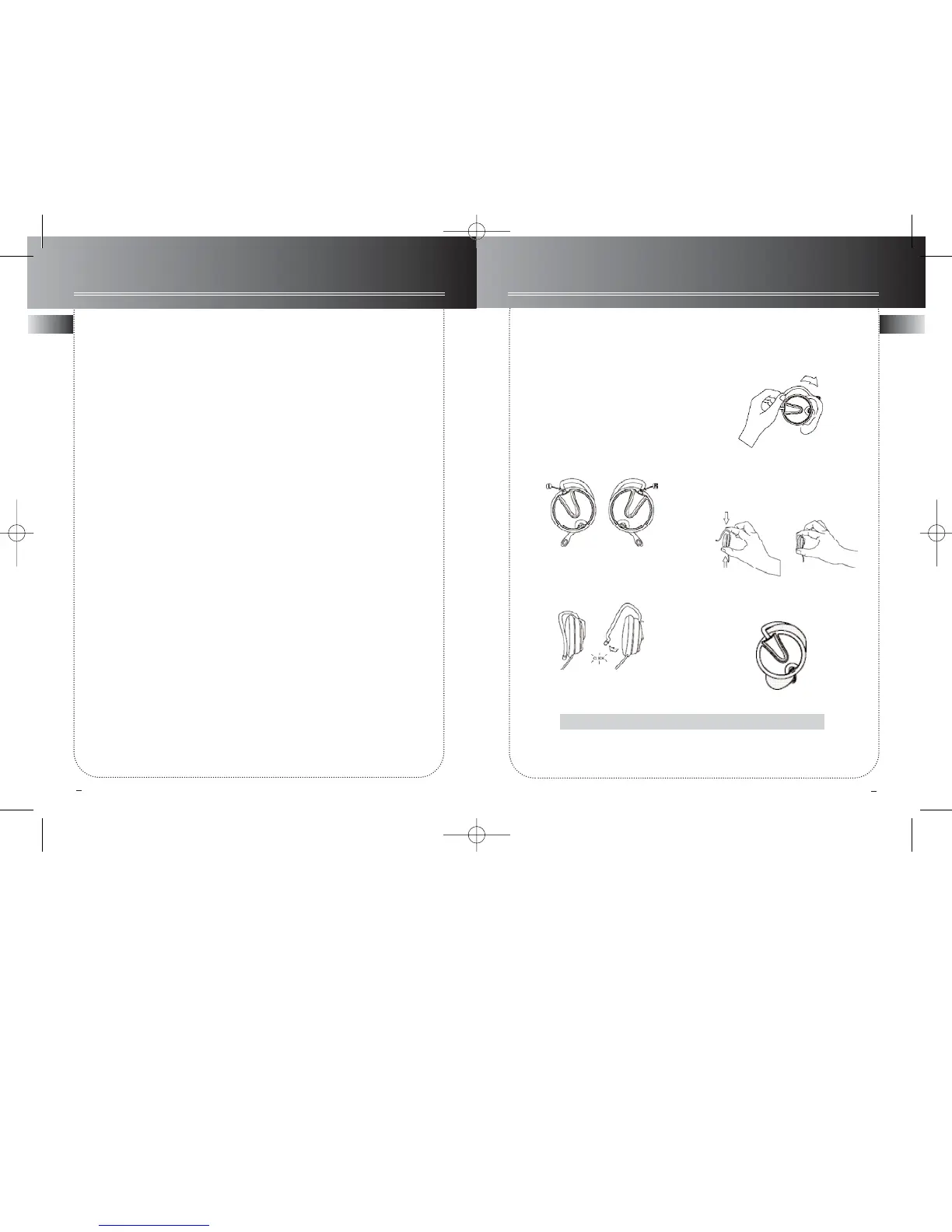
How to Use Your Clip Phones
(The e.clipz)
The right ear clip phone is labeled R
while the left ear clip phone is labeled L.
1. Pull the ear hook away from the ear
pad slightly. You will hear a click sound.
2. Slide the ear hook behind the ear with
the ear pad on the front of the ear.
Rotate the clip phone so the ear pad fits
closely with the ear.
3. Lock the clip phone in place by
pushing down on the top of the ear hook
until it locks.
4. For best sound quality, make sure the
earpad fits closely with your ear.
CAUTION: DO NOT INSERT EAR HOOK INTO YOUR EAR.
Safety information
Power supply
Before you begin . . . . . . . . . . . .1
CD player . . . . . . . . . . . . . . . . .2-3
Playing mp3/ WMA files . . . . . . .4-5
Playing mp3/ WMA files with SmartTrax
. . . . . . . . . . . . . . . . . . . . . . . . .6-8
Playlist . . . . . . . . . . . . . . . . . . . . .9
Playmode . . . . . . . . . . . . . . . . .10
Other functions . . . . . . . . . . . .11
MusicMatch Jukebox . . . . .12-14
Troubleshooting . . . . . . . . . . .15
More information . . . . . . . . . .16



 To Next Page