4
CD player
EN
AC outlet power supply
You can power your CD player with the
supplied AC/DC Adapter. Refer to the
table for details of the operating volt-
age of the Adapter supplied with your
unit.
AC/DC Adapter is purposed for indoor
use in dry rooms only. Remove the jack
from the device to use it with the bat-
teries.
Note : Power is fed to the unit even
when it is not functioning. To cut
the power supply off, the AC/DC
Adapter must be unplugged
.
The unit will turn off automatically if left
idle for a while.
Model Number
PDP2060
AC/DC Adapter
230v 50Hz
Batteries
AAx2
Power Supply
3
Recharge function
(PDP2060U)
To charge Ni-Cd/Ni-MH batteries
(not included):
1. Insert 2 rechargeable batteries in
the main unit compartment.
2. Connect the mains adapter.
3. Press STOP to start battery charg-
ing.
4. An animated battery logo will be
displayed when charging is in
progress.
5. When the batteries are fully
charged, charging will automatical-
ly stop.
6. You can also stop recharge opera-
tion by pressing PLAY button/
removing the AC / DC adapter.
Note: The recharge function can
only be activated in POWER OFF
mode. The unit will take some time
to check for battery type.
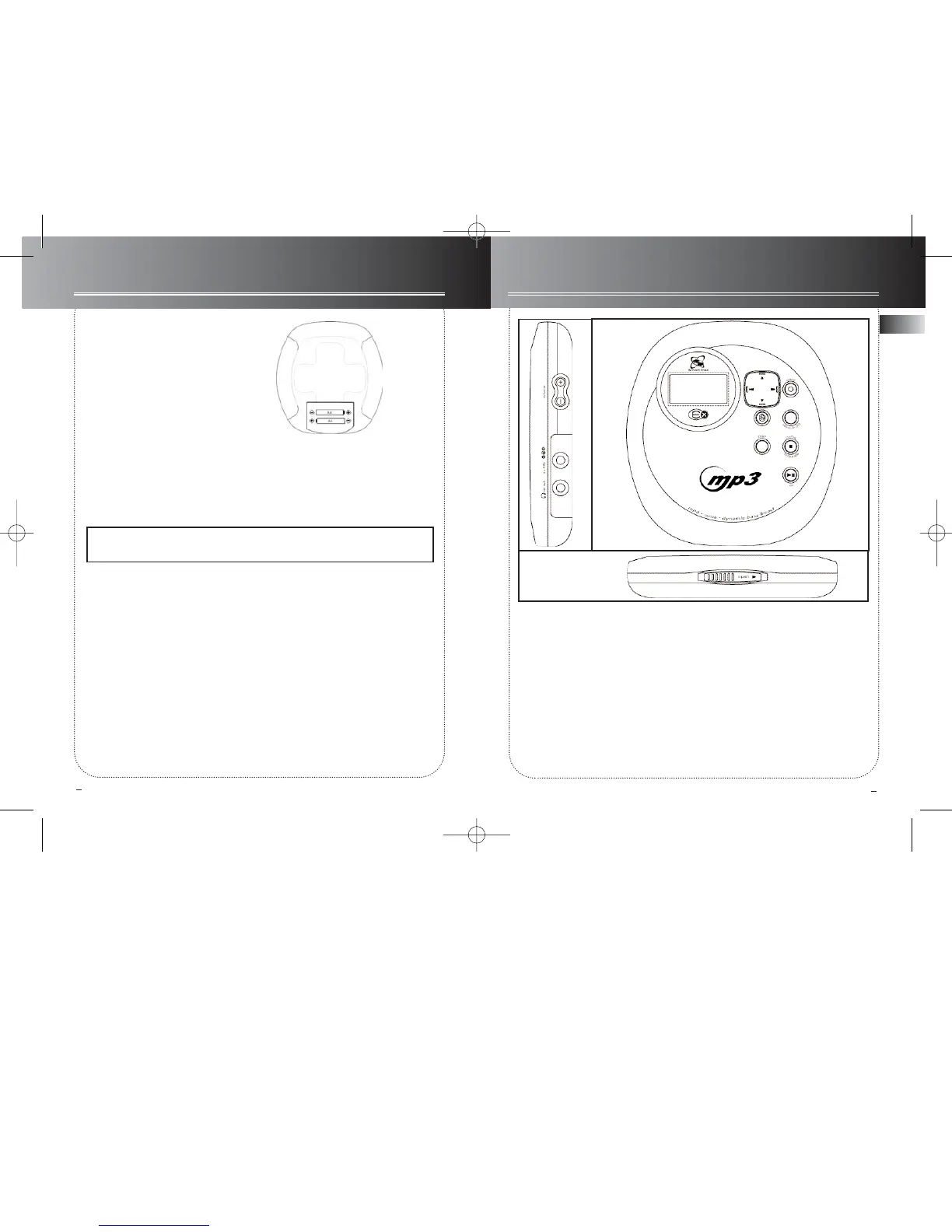
1. Play/pause -- plays disc, or pauses dur-
ing playback, power on.
2. Stop -- stops playback, return to
home/ root position in stop mode (Folder
mode and SmartTrax mode only), press
and hold more than 2 seconds in stop
mode to power off. In power off mode,
press to recharge batteries.
3. Directions key -- skips forward/back-
ward (CD mode); songs selection (mp3
disc mode).
4. DSP -- toggles dsp modes (Flat/ Bass
Boost/ Rock/ Pop/ Jazz).
5. Vol+/Vol- -- increases/decreases volume
level (from 0 to 30).
6. Menu•Hold -- accesses MENU mode;
press and hold to lock keys.
7. Enter -- confirms selection.
8. Phones / line out -- jack for head-
phones and signal output.
9. Shuffle -- press to select Shuffle mode.
10. Open -- slides to open the door.
11. DC in -- jack for external power.
1
2
3
4
6
7
8
5
11
10
9



 To Next Page