Before You Begin
3
4
Before You Begin
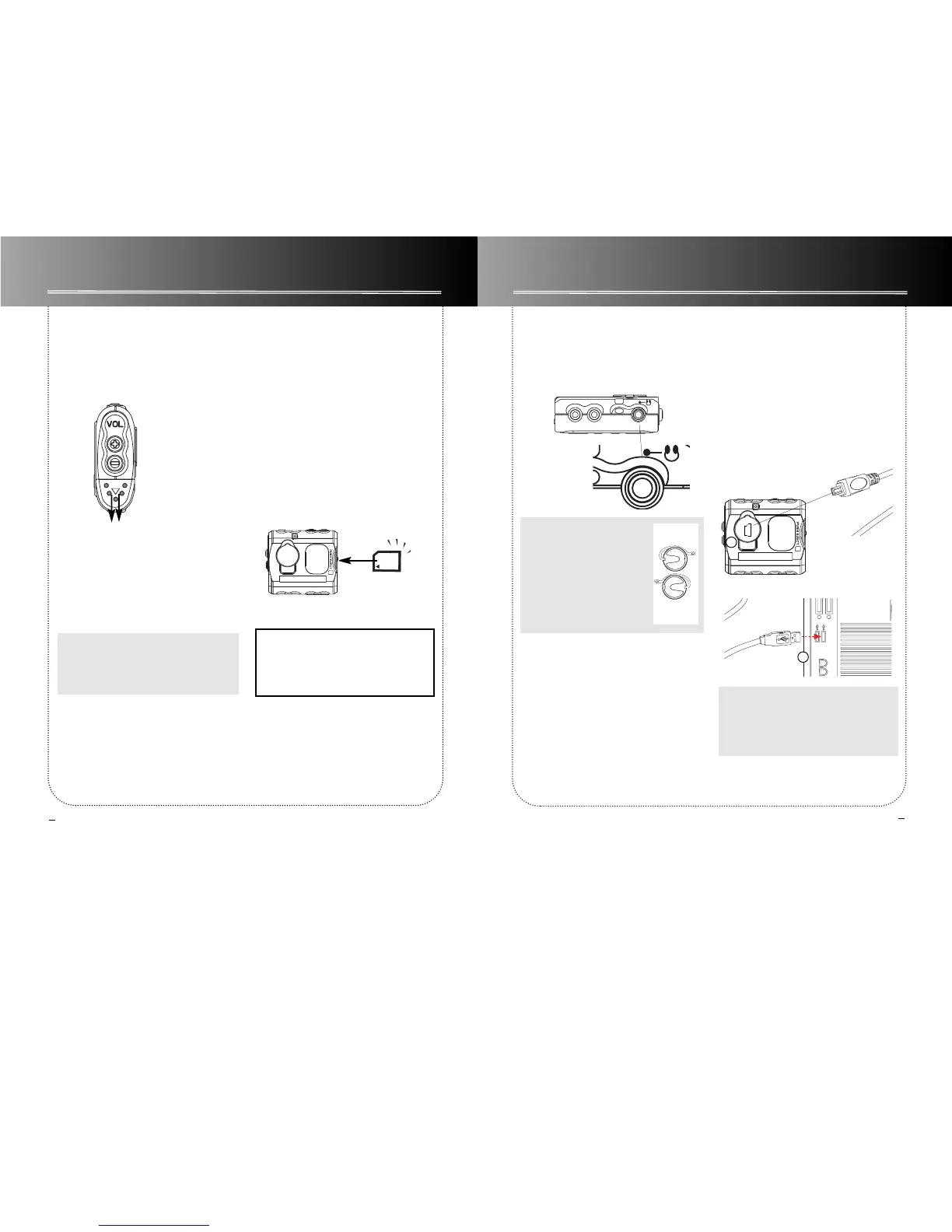
4. Insert battery into the
player
A. To insert batteries, open the
battery compartment door.
B. Insert 1 “AAA”(LR03) battery with
polarities corresponding to indications
on the compartment.
C. Close the door to the battery
compartment
Note: Refer to the power level indicator
on display for battery level.
Replace with new batteries when the
indicator is empty.
5. Inserting a MultiMedia
Card / SD Card (Optional)
The player has built-in flash memory
(64MB for PDP2444 / 128MB for
PDP2448). To extend the playtime, you
can use the optional Memory Card slot.
A. Insert a Memory Card into the card
slot when the player is off as the
diagram shows:
B. To remove card, push the Memory
Card to eject.
Push the
compart-
ment door
downward
and lift it
up
Caution: Do not remove Memory
Card during playback or when
power is on. It may stop unit from
playing immediately.
6. Using Headphones
Insert phone jack into PHONES at the top
of player for listening.
7. Connecting the Player to
your Computer
1. Lift the rubber cover on the player.
2. Insert the smaller end of the connection
cable into the socket tightly.
3. Insert the opposite end of the connect-
ing cable to the USB socket on the back of
the computer.
Note: Have a Blast- Just
Not in Your Eardrums. Make
sure you turn down the vol-
ume on the unit before you
put on headphones.
Increase the volume to the
desired level only after
headphones are in place.
Note: Refer to the Software
Instruction manual for procedures in
setting up USB drivers and
transferring files to the player.
3


 To Next Page