GB
2
3 - Programming the remote control
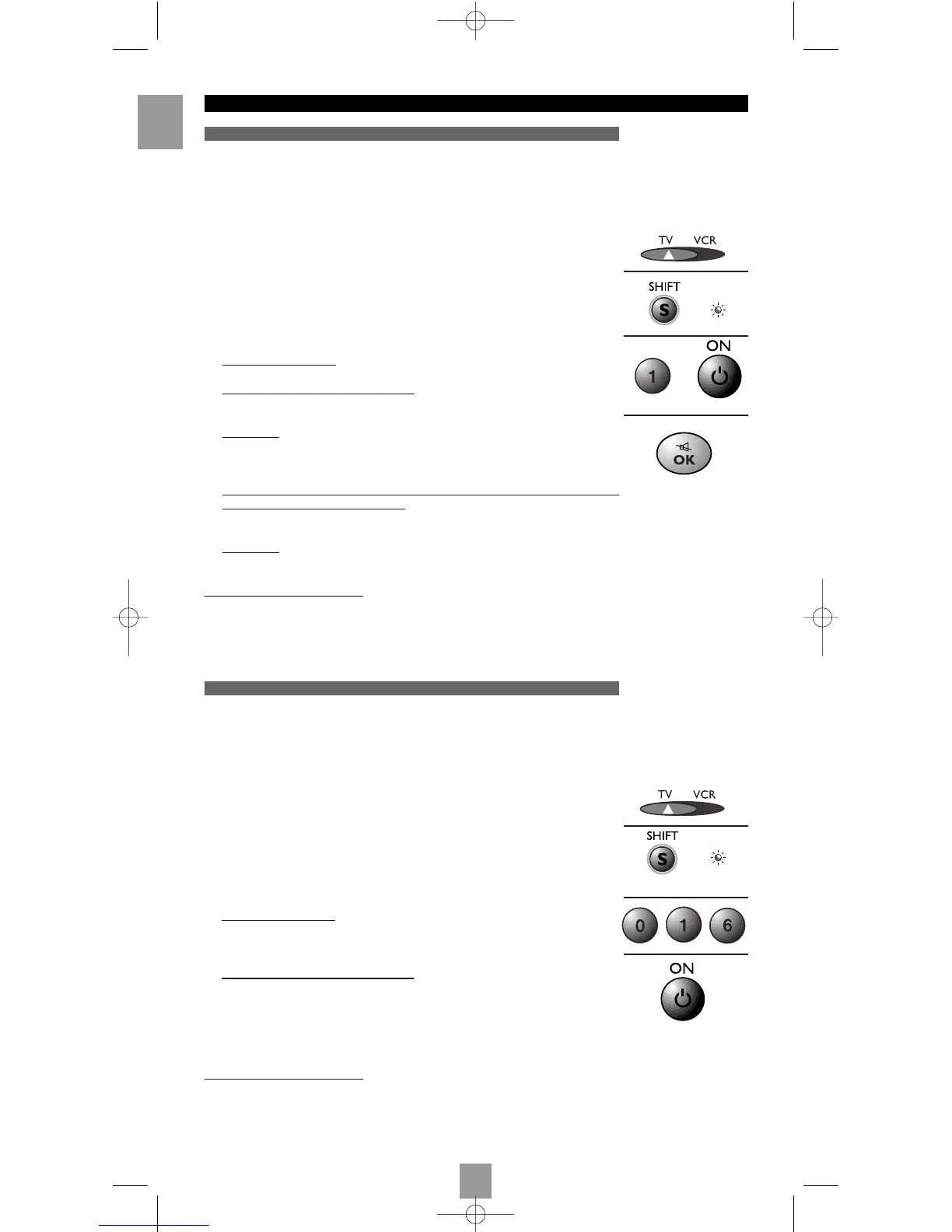
Method A – Fast programming with 1-digit subcode
Method B – 3-digit codes programming
Before you start programming, you must find the subcode of the set to be controlled
(TV set or video recorder).
Refer to the list provided with these instructions, page I of the subcodes.
1. Switch on the set you want to control.
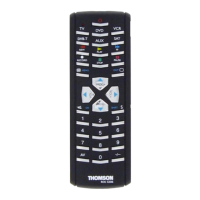
2. Position the selector (13) on the type of set to be controlled:
TV: television set, VCR: video recorder
3. Hold down the key SHIFT (4) until the red indicator lamp (11) remains lit (the
indicator lamp remains on for a couple of seconds, so that you have time enough to
proceed with steps 4 to 6. The indicator lamp flashes to signal that this time is almost
up, and then goes off).
4. While the indicator is lit
, type in the subcode (example: 1 for THOMSON).
5. Dir
ect the remote control towards the set and try to switch it off by pressing the key
BB
(1).
6. Immediately
upon the switching-off of the set to be controlled, press OK (7) to store
the subcode.
7. Should the set not switch off, press key
BB
(1) repeatedly, until the set switches off.
Between two subsequent key depr
essions, give the red indicator lamp (11) enough
time to extinguish and light up again (about 1 second). Proceeding this way will
enable you to see whether the set responds or not.
8. Immediately
upon the switching-off of the set to be controlled, press OK (7) to store
the subcode.
Check of the pr
ogramming
In principle, your set is ready for receiving the remote control commands.
Check your remote control for proper functioning by performing the test described on
page 4.
Before you start programming, you must find the code of the set to be controlled (TV set
or video recorder).
Refer to the list provided with these instructions, page II of the codes.
1.
Switch on the set you want to control.
2. Position the selector (13) on the type of set to be controlled:
TV: television set, VCR: video recorder
3. Hold down the key SHIFT (4) until the red indicator lamp (11) remains lit. The
indicator lamp remains on for a couple of seconds, so that you have time enough to
proceed with step 4. The indicator lamp flashes to signal that this time is almost up,
and then goes off.
4. While the indicator is lit
, enter the first digit of the 3-digit code proposed for the set
to be controlled (example: 016 for THOMSON). The red indicator then goes off or
flashes, if the code is not on the list.
5. Dir
ect the remote control towards the set and try to switch it off by pressing the key
BB
(1).
6. Should the set not switch off, repeat step 3. Then type in the next 3-digit code. Try to
switch off the set by pressing key
BB
(1) once. Repeat this procedure by trying out
each of the 3-digit codes.
Check of the programming
In principle, your set is ready for receiving the remote control commands.
Check your remote control for proper functioning by performing the test described on
page 4.
+
++
ROC 240 16/05/01 17:07 Page 2






 To Next Page