E-DOC-CTC-20090619-0001 v1.0
12
1 Installation
1.4 Connecting a Computer Using the Ethernet Cable
Requirements
Both your computer and Thomson Gateway must have a free Ethernet port.
Your computer must be configured to obtain an IP address automatically. This is the default setting.
Ethernet cable
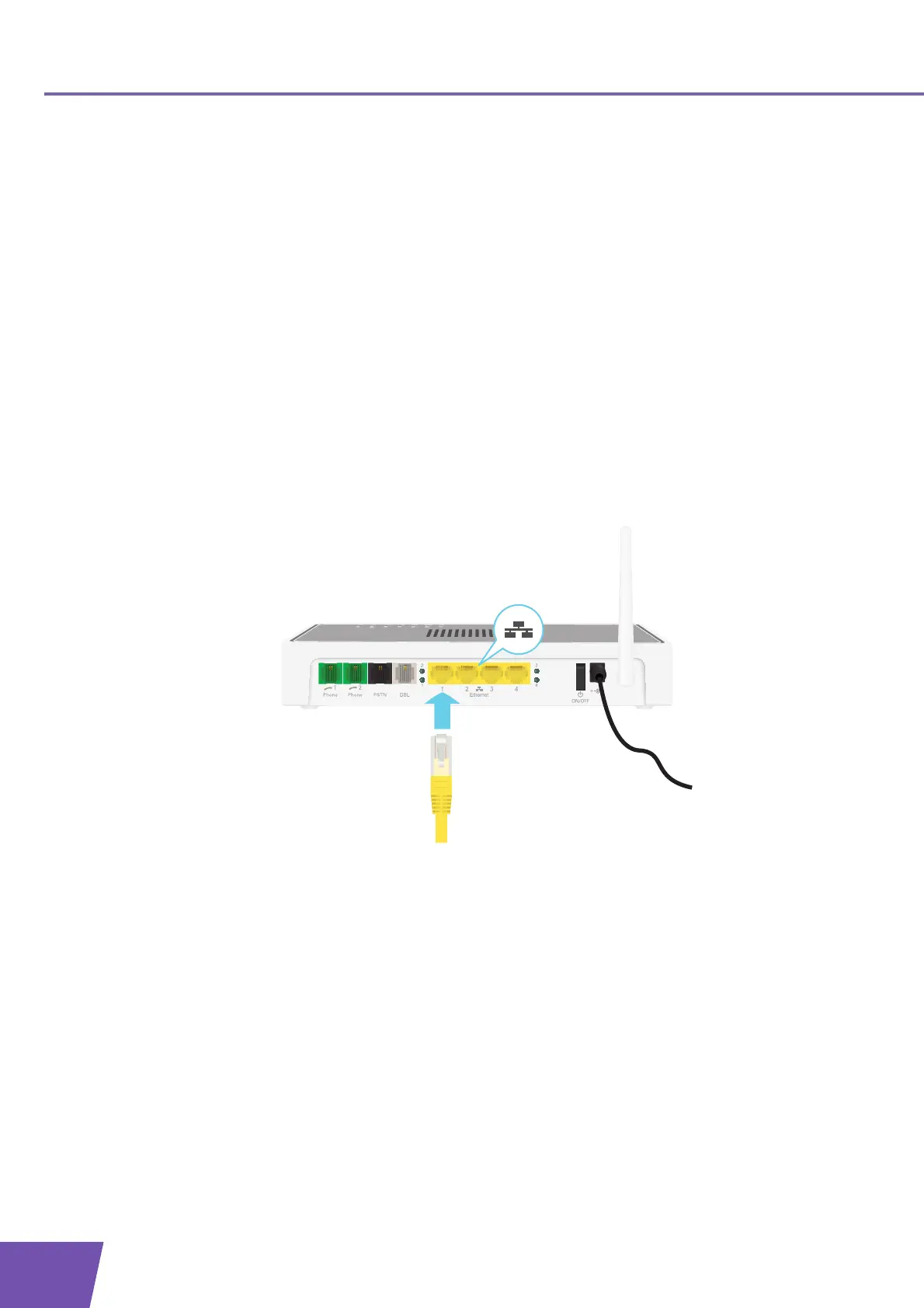
In your package, you will find a cable with yellow connectors. This is the Ethernet cable.
Procedure
Proceed as follows:
1 Connect one end of the Ethernet cable to one of the yellow Ethernet ports of your Thomson Gateway:
2 Connect the other end of the Ethernet cable to your computer.
3 Your computer is now connected to your network. No additional configuration is needed.



 To Next Page