EN
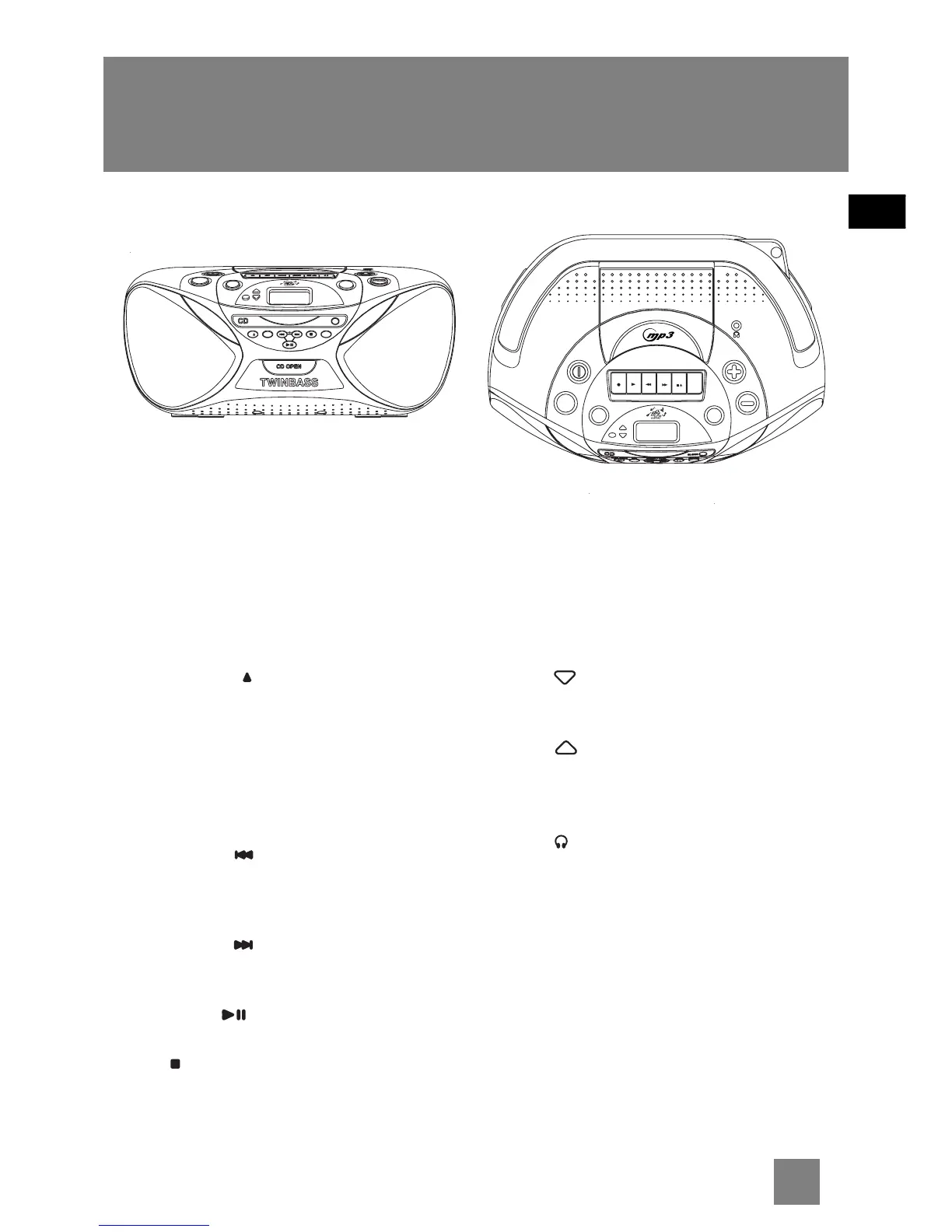
General Controls
Main Unit
5
ON / STANDBY - Turns the unit on and off.
RADIO / CD / TAPE - Selects RADIO, CD or TAPE
mode.
EQ - Selects among EQ options (FLAT, CLASSIC,
ROCK, POP)
DBBS - Turns digital bass boost system on and
off.
PLAY MODE / P - In CD / mp3 / WMA mode -
selects among repeat current track, repeat
current folder (for mp3 / WMA CDs only), repeat
all tracks and random playback.
SET - In power off mode - enters clock setting
mode. In CD / mp3 / WMA mode - enters
program mode and confirms program settings.
In radio mode - Sets radio preset channels.
TRACK / TUNE - In CD / mp3 / WMA mode -
goes back to the previous track or searches
backward. In Radio mode - Tunes down radio
frequency.
TRACK / TUNE - In CD / mp3 / WMA mode,
goes to the next track or searches forward. In
Radio mode - Tunes up radio frequency.
PLAY/PAUSE - Starts and pauses CD
playback.
STOP / BAND - In CD / mp3 / WMA mode -
stops playback. In radio mode - selects among
radio band.
DBBS
PAUSE
EJECT
STOP
FWD
REW
PLAYREC
EQ
VOLUME
PLAY MODE SET
PLAY PAUSE
TRACK / TUNE
STOP
BAND
ID3
P
CLOSE
O
N
/
S
T
A
N
D
B
Y
R
A
D
I
O
/
C
D
/
T
A
P
E
multifunction digital display
FOLDER
TIMER
SET
VOLUME
DBBS
REC
PLAY
REW
FWD
STOP
EJECT
PAU SE
EQ
O
N
/
S
T
A
ND
B
Y
R
A
D
I
O
/
C
D
/
T
A
P
E
multifunction digital display
FOLDER
TIMER
SET
II
ID3 - In mp3 CD mode - toggles among song
information (Title, Artist and Album)
CD OPEN - Opens CD door.
CLOSE - Push to close the CD door.
TIMER SET - In power off mode - enters timer
setting mode. In power on mode - enters sleep
setting mode.
FOLDER - In mp3 / WMA CD mode - skips to
the previous folder. In Radio mode - selects the
previous radio preset location.
FOLDER - In mp3 / WMA CD mode - skips to
the next folder. In Radio mode - selects the next
radio preset location.
VOLUME - Increases or decreases volume.
PHONES - Connects headphones.
Cassette Player
REC - Starts tape recording.
PLAY - Starts tape playback.
REW - Rewinds tape.
FWD - Fast forwards tape.
STOP/EJECT - Stops tape playback, winding or
recording, opens cassette door.
PAUSE - Pauses tape playback.



 To Next Page