44 EN
PLAYBACK
Basic Playback For Video
O
F
F
D
S
C
P
L
A
Y
P
L
A
Y
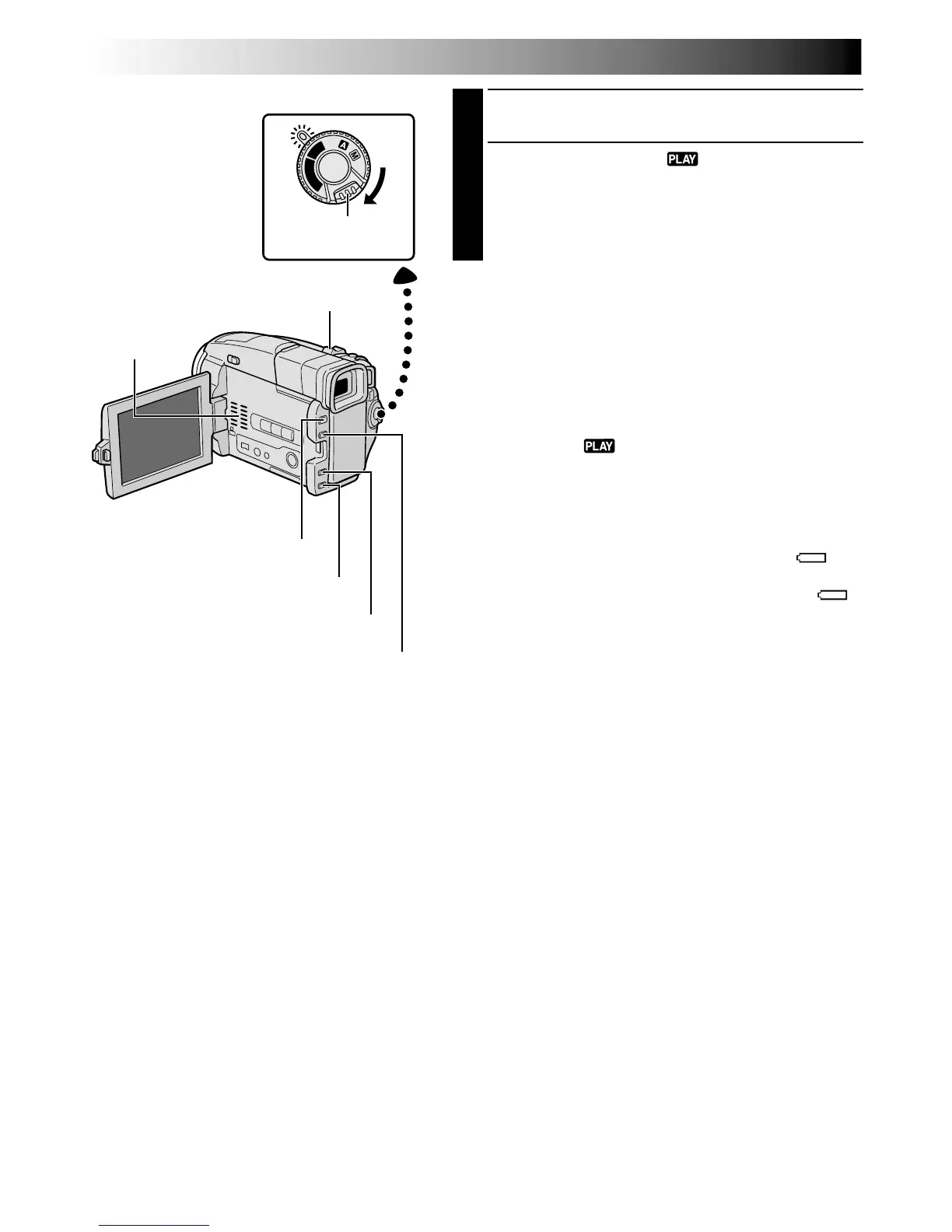
Power Switch
Rewind Button (
2
)
Fast-Forward Button (
3
)
Play/Pause Button (
4
/6)
Stop Button (5)
1
Load a tape (墌 pg. 10).
2
Set the Power Switch to “ ” while pressing down
the Lock Button located on the switch. To start
playback, press
4
/6.
•To stop playback, press 5.
•Press
2
to rewind, or
3
to fast-forward the tape
during Stop mode.
To Control The Speaker Volume . . .
.... slide the Power Zoom Lever (VOL.) towards “+” to
turn up the volume, or towards “–” to turn down the
volume.
NOTES:
●
If Stop mode continues for 5 minutes when power is
supplied from a battery, the camcorder shuts off
automatically. To turn on again, set the Power Switch to
“OFF”, then to “ ”.
●
The playback picture can be viewed in the LCD monitor,
viewfinder or on a connected TV (
墌
pg. 58).
●
You can also view the playback picture on the LCD
monitor with it flipped over and retracted.
●
LCD monitor/viewfinder indications:
•
When power is supplied from a battery: the “ ”
battery pack remaining power indicator is displayed.
When power is supplied through the DC cord: “ ”
does not appear.
•
During Stop mode, none of the indications are
displayed.
Power Zoom Lever (VOL.)
Speaker
Lock Button


 To Next Page