EN53
OFF
D
S
C
P
L
A
Y
P
L
A
Y
1
P
I
F
F
D
R
R
M
R
O
P
E
O
A
A
R
O
T
T
G
M
M
F
D
U
E
E
E
A
S
R
C
T
C
N
T
D
D
E
E
M
L
L
E
.
.
NU
C
E
A
X
N
E
C
C
E
U
L
TE
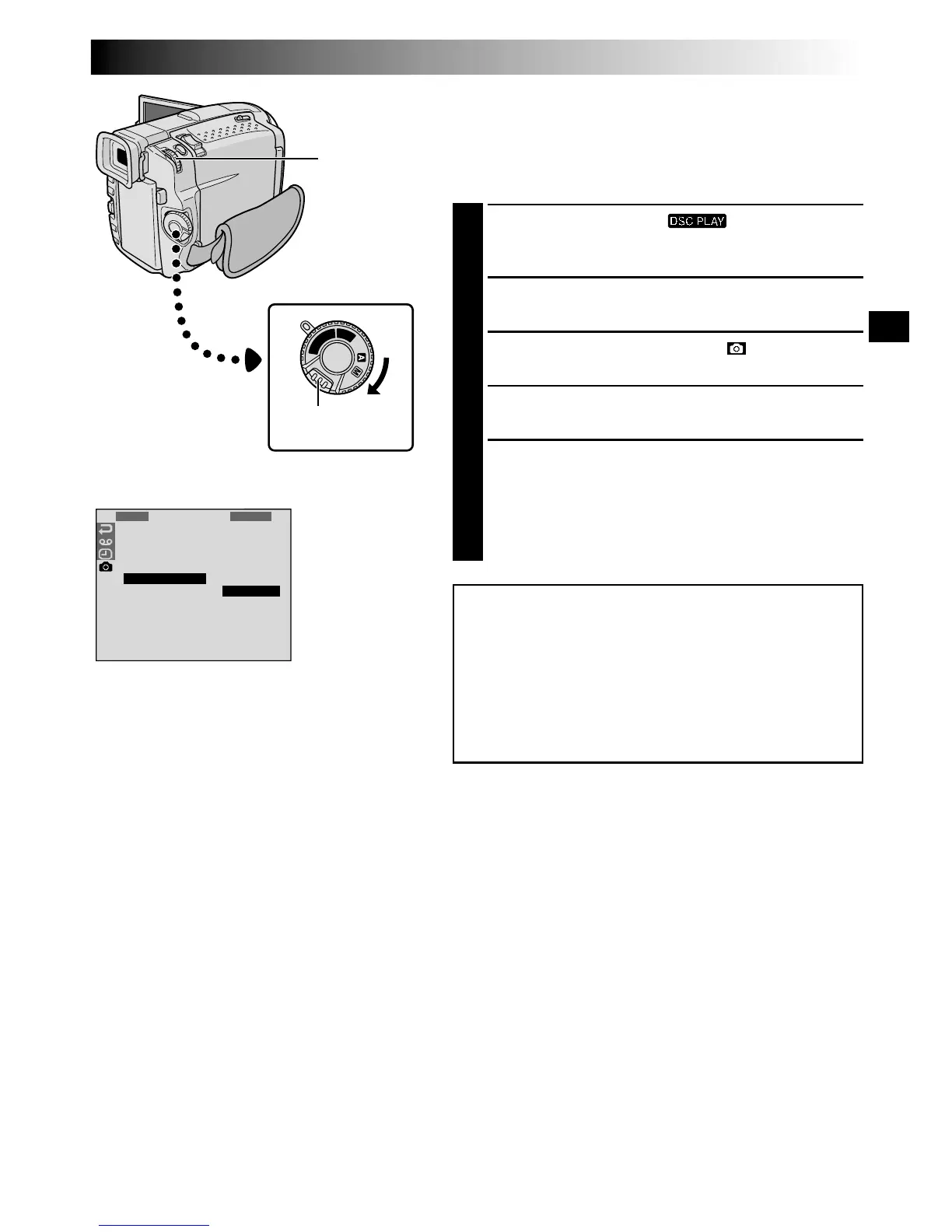
MENU/BRIGHT
Wheel
Lock Button
Power Switch
Display
Initialising A MultiMediaCard
You can initialise a MultiMediaCard anytime.
After initialising, all images and data stored in the
MultiMediaCard, including those which have been
protected, are cleared.
1
Set the Power Switch to “ ”, while pressing
down the Lock Button located on the switch. Open
the LCD monitor fully or pull out the viewfinder fully.
2
Press MENU/BRIGHT. The Menu Screen appears.
3
Rotate MENU/BRIGHT to select “ ” and press it.
“DSC MENU” appears.
4
Rotate MENU/BRIGHT to select “FORMAT” and
press it. The Sub Menu appears.
5
Rotate MENU/BRIGHT to select “EXECUTE” and
press it. The MultiMediaCard is initialised. When
initialisation is finished, “NO STORED IMAGE”
appears.
•To cancel initialisation, rotate MENU/BRIGHT to
select “CANCEL” and press it.
CAUTION:
Do not perform any other operation (such as
turning off the camcorder) during initialisation.
Also, be sure to use the provided AC Power
Adapter/Charger, as the MultiMediaCard may be
corrupted if the battery becomes exhausted
during initialisation.
Menu Screen


 To Next Page