EN55
OFF
D
S
C
P
L
A
Y
P
L
A
Y
1
P
I
F
F
D
R
R
M
R
O
P
E
O
A
A
R
O
T
T
G
M
M
F
D
U
E
E
E
A
S
R
C
T
C
N
T
D
D
E
E
M
L
L
E
.
.
NU
C
A
S
A
L
E
N
L
L
C
E
E
C
L
TED
C
E
A
X
N
E
C
C
E
U
L
TE
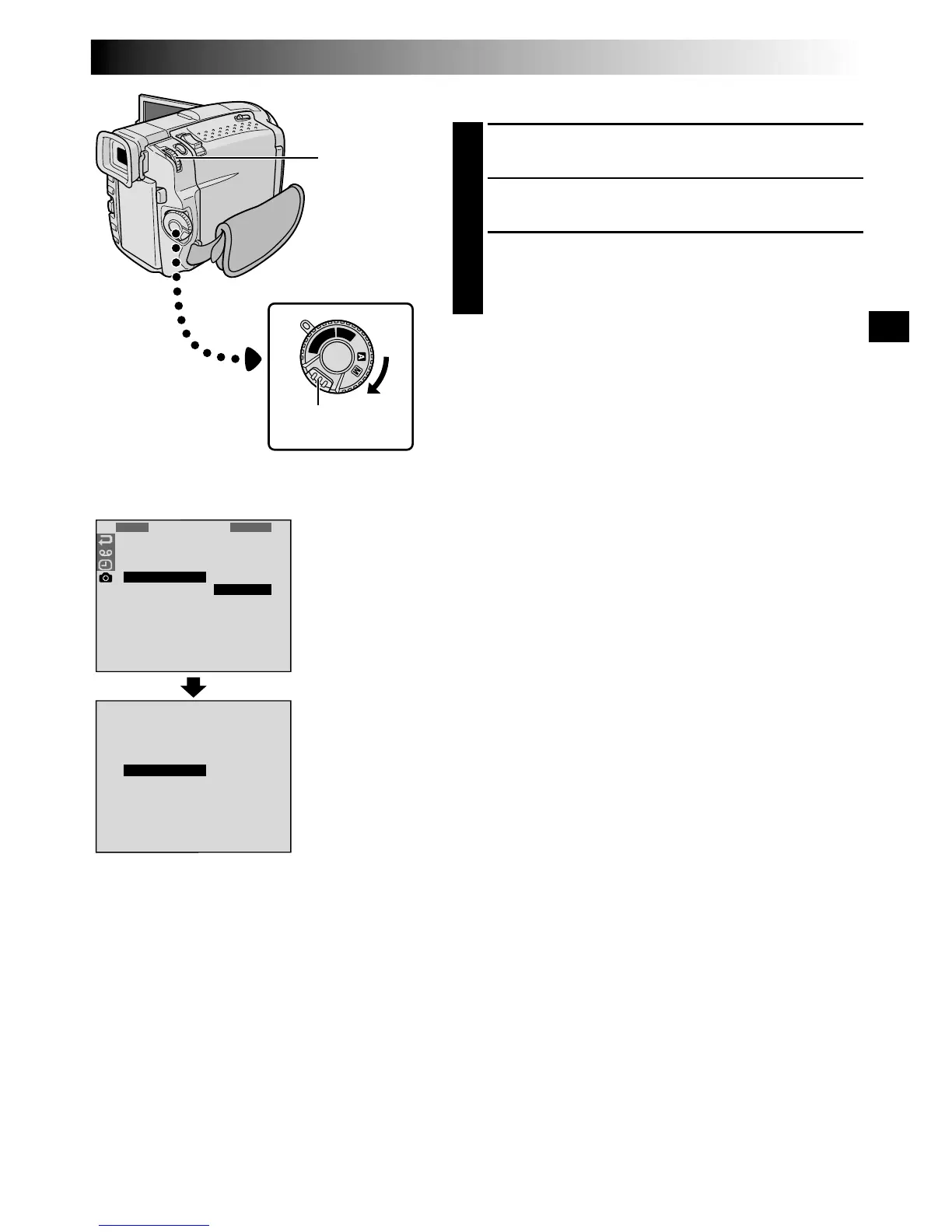
TO DELETE ALL PRINT FRAMES
1
Perform steps 1 through 4 on pag. 54.
2
Rotate MENU/BRIGHT to select “ALL” and press it.
The Deletion Confirmation Screen appears.
3
Rotate MENU/BRIGHT to select “EXECUTE” and
press it. All the print frames are deleted.
•To cancel deletion, rotate MENU/BRIGHT to select
“CANCEL” and press it.
Display
Power Switch
Lock Button
Menu Screen
Deletion
Confirmation
Screen
MENU/
BRIGHT Wheel


 To Next Page