4
• Protect the product from dirt, moistureand overheating, and
only use it in adry environment.
• Only operate the product in ambient temperatures between
5°C and 40°C.
• Only use the product in environments where2.4 GHz wireless
technology is allowed.
• The body current that ows when using this product can
affect the functioning of apacemaker.
• This product generates magnetic elds. Persons with a
pacemaker should consult adoctor beforeusing the prod-
uct, as the pacemakers proper function could be affected.
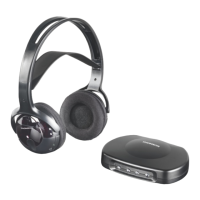
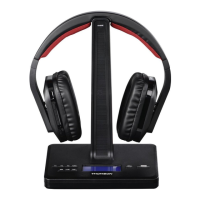
These 2.4-GHz digital wireless headphones with DAB+ and FM
receiver operate with the latest wireless technology and allow
you to enjoy clean, crystal-clear music or TV sound in the entire
home. Simply connect the transmitter to the desired audio
source; DVD player,CDplayer,TVset, hi- system, iPod or
smartphone. Furthermore, you areable to receive digital radio
programmes directly on the headphones using the DAB+ stand-
ardand FM radio signals, or transmit these radio signals to a
further source (for example, stereo system or active speakers).
• 2.4-GHz digital wireless technology
• Automatic and digitally encoded channel selection for the
wireless transmission
• Automatic switch-off ends the transmission if no signal is
transmitted (or in charging mode).
• Range up to 10-15 metres (depending on building character-
istics), up to 30 mwith aclear line of sight
• Transmitter as aheadphones stand with reverse polarity
protection when charging
• Analogue or digital signal input and output selection
• Smart Volume Memory (storage of the last volume setting)
• Mute switch
• DAB+/FM radio with three direct favourites buttons on the
transmitter
• LED display that shows the radio stations and additional
information or source selection
• Remote control for controlling primary features
• Direct audio line-in (headphones in passive mode, connected di-
rectly to asmartphone/MP3 player,for example; for mobile use)
• Can also be used as wired headphones
• Connect the power supply unit to aproperly installed and
easily accessible mains socket and to the DC input socket
()onthe transmitter.
• Connect one of the included audio cables (RCAoroptical
brecable) to the or audio
input on the rear of the transmitter and to the corresponding
audio output on your playback device (TV or audio source).
• Set the input selector switch ()tothe input you
areusing .
• If you want to use the radio signals (DAB+ or FM) on a
further device (for example, stereo system or active speakers),
you can forwardthese signals using the (via
RCA) ()oroptical brecable ()asillustrated ( ).
Youmay need additional connection cables for this purpose.
• When inserting the rechargeable batteries, always make
surethat the polarity is correct (“+” and “-” markings).
Failuretodosocould result in the rechargeable batteries
leaking or exploding.
• Do not allow batteries/rechargeable batteries to dis-
charge completely.
• Do not tamper with or damage/heat/disassemble the
batteries/rechargeable batteries.
• Do not short circuit the batteries/rechargeable batteries
and keep them away from uncoated metal objects.
• The batteries and charging station included in the
delivery go together and should always be used in
combination.
• Switch off your device beforechanging the batteries.
• When stored over along period of time, batteries should be
charged regularly (at least every three months).
• The batteries may be charged at any time; it is not neces-
sary to discharge them completely beforecharging.
• Beforeusing the device for the rst time, you must insert the
supplied batteries into the headphones and fully charge them
(takes about 7hours).
• Open the battery compartment cover by holding the rear
side of the right earpiece ()and carefully turning the right
earpad anti-clockwise.
• Insert the two AAA batteries (supplied) into the battery
compartment, observing correct polarity.Close the battery
compartment properly by putting back the earpad and turn-
ing it clock-wise until you feel it snap into place.
• First switch off the headphones by pressing and holding the
for about 2seconds .The red
LED signal lights up.
• Switch on the transmitter using the
and wait until the display ()switches to ‘ ’.
• Hang the headphones with the charging contacts ()onthe
charging contacts ()ofthe transmitter.


 To Next Page
 Loading...