8
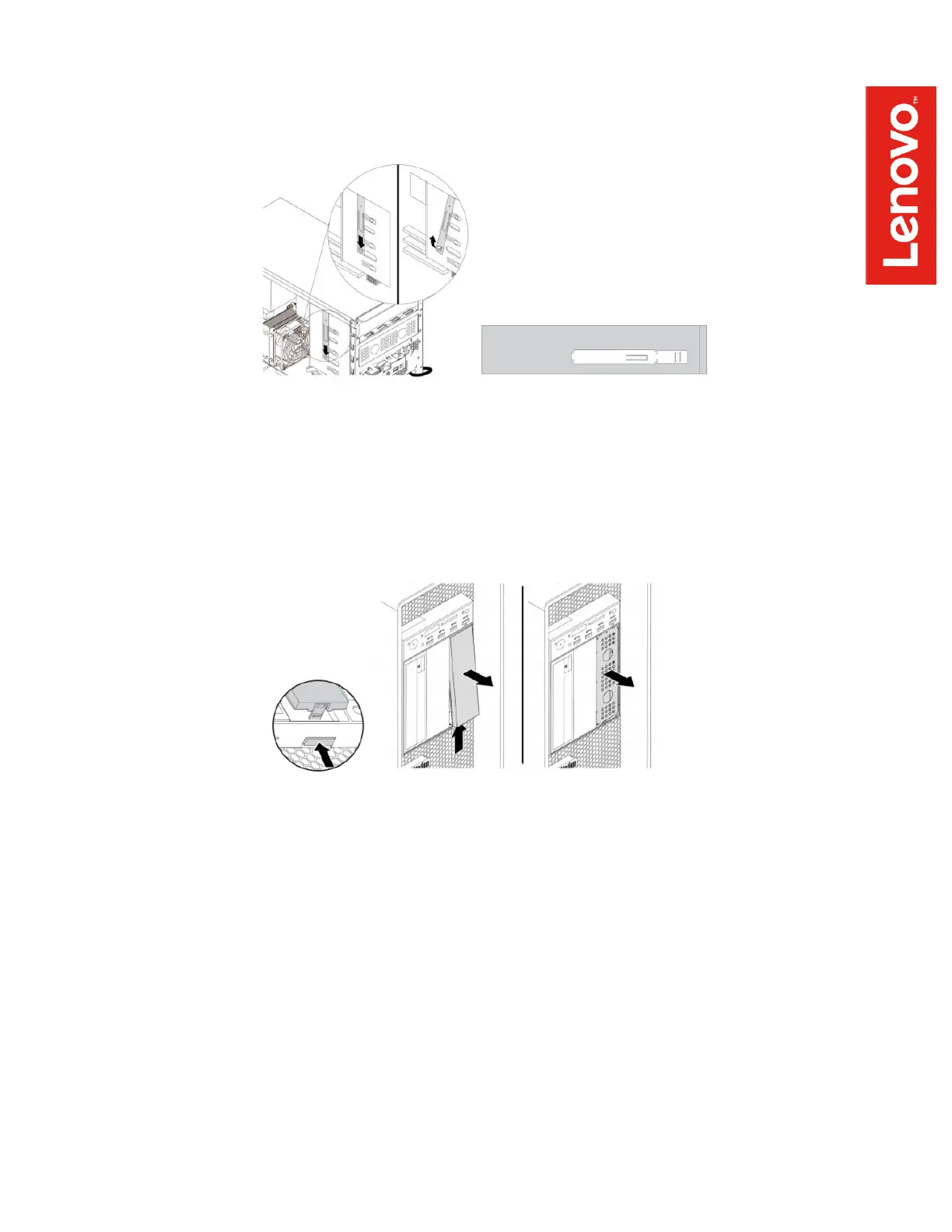
There is an optical drive retainer on the side of the ODD/FLEX bay cage – remove this
retainer and install it on the left side of the FLEX module as shown here:
P520, P720, P920
Press the release button to remove the plastic cover from the front of the FLEX bay, and
then remove the EMI shield.
2. Insert the FLEX module, cover down, into the 5.25” FLEX bay that you have just prepared.
Feed the GPIO, internal DP to DP, and mini-SAS cables through the bay as you insert the
module and help to guide them around any obstacles from the inside of the workstation.
Insert the module into the FLEX bay until it latches into place. The FLEX bay latching
mechanisms vary across the various workstations, as follows:
P520c
The FLEX module should slide freely all the way into the bay until it latches into place.


 To Next Page